
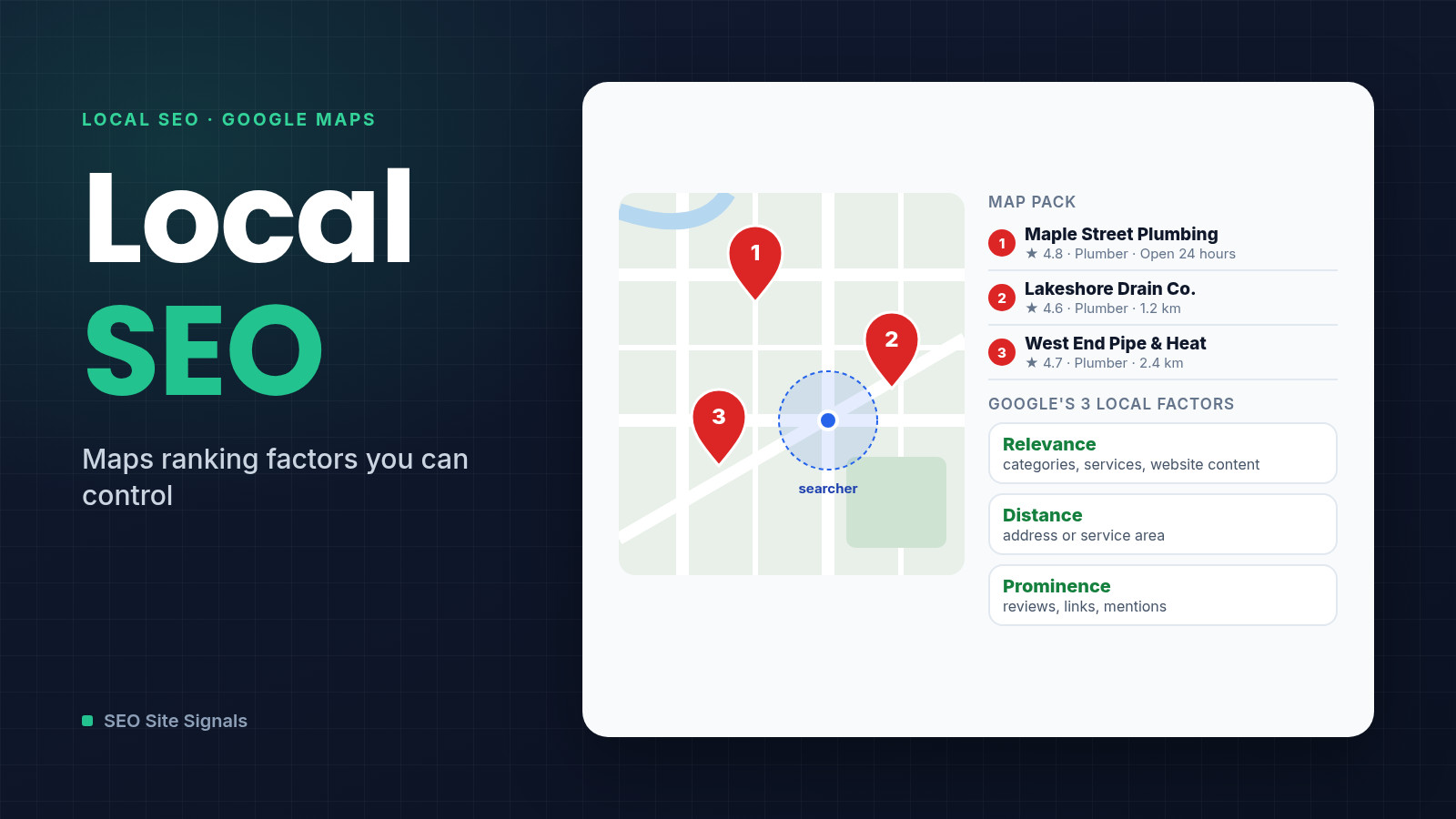
Google says local results are mainly based on three factors: relevance, distance, and prominence. You can't change where a searcher is standing, so local SEO is about the other two. Make your Google Business Profile complete and accurate so Google understands what you do, and build prominence through reviews, links, and a website that clearly supports the same business details. Google also states there is no way to pay for a better local ranking.
This playbook sticks to what Google has actually said about local ranking and turns it into a checklist a small business can work through.
What does Google say decides local rankings?
Google's Business Profile help page describes the three factors like this:
Relevance
Google's description: How well a profile matches what someone is searching for
What you can influence: Categories, services, description, complete business info, website content
Distance
Google's description: How far the business is from the searcher, or from what Google knows about their location
What you can influence: Very little, beyond an accurate address or service area
Prominence
Google's description: How well-known the business is, including links and reviews
What you can influence: Reviews and ratings, links to your business, your wider reputation
The help page sometimes calls the third factor popularity. Either way, Google says it keeps the algorithm details confidential, so anyone publishing precise percentage weights for local factors is estimating.
How do you make your Business Profile more relevant?
Relevance comes mostly from complete, accurate information. Google says businesses with complete and accurate information are more likely to show up for relevant searches.
- Verify the profile. Google says verification makes a business more likely to show up in results.
- Choose the most specific primary category. Google's guidelines say to use the fewest categories it takes to describe your core business.
- Fill in hours, including holiday hours, services, attributes, and a plain description of what you do and where.
- Use your real business name. Google's guidelines say the name should match how the business appears in the real world. Adding unnecessary keywords or locations to the name breaks the guidelines, and profiles that break them can be suspended.
- Set the address or service area accurately. Service-area businesses that don't serve customers at their address should hide it and list service areas instead.
How do reviews affect local ranking?
Google states that the number of reviews and positive ratings can help a business's local ranking, and that replying to reviews shows you value customer feedback. Reviews also affect whether people choose you, which matters as much as position.
- Ask every satisfied customer for a review, using the short link or QR code from your profile.
- Reply to reviews, including negative ones, with specifics rather than templates.
- Don't offer incentives for reviews, review-gate (only asking happy customers), or post reviews for yourself. These break Google's policies on fake engagement.
How does your website help you rank in Maps?
Your website supports both relevance and prominence. Links to your business count toward prominence, and your site is where you prove the services and areas listed in your profile.
- Match your name, address, and phone number on the site to the profile exactly.
- Create a page for each main service, and location pages only where you genuinely serve or operate, with real local details rather than swapped city names.
- Add LocalBusiness structured data with your name, address, phone, hours, and geo coordinates. It helps Google understand your business details. Validate it with the Schema Markup Test.
- Link the profile to the most relevant page, usually the homepage or the location page.
- Make it work on a phone. People searching for local businesses often do it on a phone, then call or tap for directions. Check the page with the Mobile Screenshot Tool to see if the phone number, address, and booking button are easy to find.
How do you build prominence beyond reviews?
Prominence reflects how well-known your business is online and offline. Google says it draws on information such as how many websites link to your business and how many reviews you have.
- Get listed on the directories and associations that matter in your industry and city, with the same business details.
- Earn local links and mentions: sponsorships, local news, supplier and partner pages, community events.
- Keep your profile active with photos, updates, and accurate product or service information.
What local SEO mistakes cause the most trouble?
- Keyword-stuffed business names: risk suspension and reports from competitors.
- Duplicate profiles for the same location, often created by old agencies or moves. Merge or remove them.
- Virtual offices: Google's guidelines say a rented mailing address the business doesn't operate from isn't eligible for a profile.
- Inconsistent details between the profile, website, and major directories after a move or rebrand.
- Location pages with nothing local on them, which Google can treat as doorway pages.
Local SEO FAQ
Can I pay Google to rank higher in Maps?
No. Google states there is no way to request or pay for a better local ranking. You can buy local ads, which appear labelled as sponsored, but they don't change your organic position in the local results.
Why does my business rank in one part of town but not another?
Distance is one of Google's three local factors, so results change with the searcher's location. A business usually ranks best close to its address. Relevance and prominence can extend that reach, but no profile ranks equally everywhere.
Do keywords in review replies or posts help ranking?
Google hasn't said that keywords in replies or posts affect ranking. Reply to reviews because it builds trust with customers and Google recommends it. Write naturally about the actual job rather than stuffing service names and cities.
Does LocalBusiness schema improve Maps rankings?
Google doesn't describe structured data as a local ranking factor. It helps Google understand your business details and can support how your site appears in search. Treat it as a way to make your information clear, not a ranking shortcut.
How long does local SEO take to work?
Profile fixes such as categories and hours can show up quickly once Google processes them. Reviews, links, and website improvements build over months. Track changes in your Business Profile performance report and in Search Console for your location pages.
See your site the way local searchers do: run your homepage or location page through the Mobile Screenshot Tool and check that the phone number, address, hours, and booking button are visible without hunting.
SEO Site Signals comes from PositionMySite, a Toronto and Tampa company building for the web since 2009. Many of the small businesses we build for live or die by local search, so our in-house team made the mobile, schema, and on-page checks free for anyone to run.
Last updated: September 25, 2026 | Author: David Dayan | Sources: Google Business Profile Help, "Tips to improve your local ranking on Google"; Google Business Profile Help, "Guidelines for representing your business on Google"; Google Search Central, "Local business structured data"; Google Maps, "Prohibited and restricted content".