
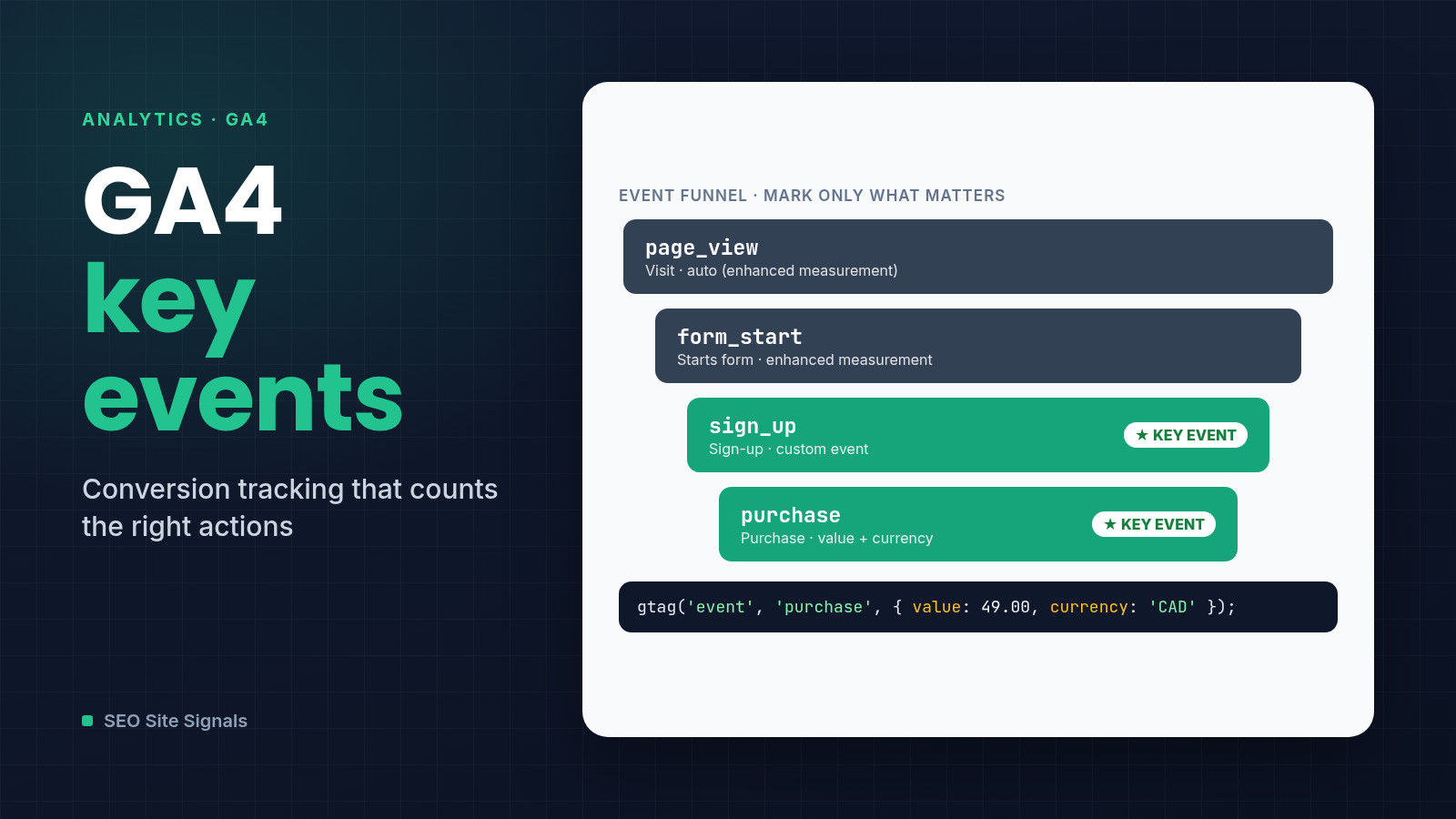
To track conversions in Google Analytics 4, install the Google tag on every page, turn on enhanced measurement, create events for the actions that matter to your business, and mark those as key events. Google renamed Analytics "conversions" to "key events" in 2024, so older guides use the old word. Then verify with DebugView and Realtime before trusting any report. Most small-business GA4 problems come from a tag that is missing, duplicated, or blocked by consent settings.
This guide is the short version: what to set up, in what order, and how to tell whether your numbers are real.
What changed from Universal Analytics to GA4?
Universal Analytics stopped processing new data for standard properties on July 1, 2023, and GA4 is now the only version of Google Analytics. The biggest difference is the data model. Universal Analytics was built on sessions and pageviews. GA4 records everything as events, including page views.
- Events, not hit types: a page view, a scroll, a click, and a purchase are all events with parameters.
- Key events: the events you mark as important to the business. In Google Ads, "conversions" now means the actions you use to measure and bid on ad campaigns.
- Engagement instead of bounce rate first: GA4 leads with engaged sessions and engagement rate. Bounce rate exists, but it's the inverse of engagement rate.
How do you install GA4 correctly?
Create a GA4 property and a web data stream, then add the Google tag (gtag.js) or a Google Tag Manager container to every page. Use one method, not both, or you risk counting every event twice.
- In Admin, create a property and a web data stream for your domain. Note the measurement ID, which starts with
G-. - Install the tag through your CMS integration, Google Tag Manager, or directly in the page
<head>. - Check that the tag loads on every template: home, service pages, blog posts, checkout, and thank-you pages.
- Run the Google Analytics Test on key URLs to confirm the tag is present, and look out for more than one GA ID on the same page.
What does enhanced measurement track automatically?
Enhanced measurement collects common interactions without extra code. It's on by default for new web streams, and you can switch individual events on or off in the data stream settings.
page_view
What triggers it: Each page load or browser history change
Watch out for: Single-page apps may need history-change tracking checked
scroll
What triggers it: Visitor reaches about 90% of the page
Watch out for: Only one depth, not a full scroll map
click (outbound)
What triggers it: Clicks on links to other domains
Watch out for: Your own domains need cross-domain setup to be excluded
view_search_results
What triggers it: Site search, based on a URL query parameter
Watch out for: Add your parameter if it isn't q, s, or similar
file_download
What triggers it: Clicks on common file types such as PDF
Watch out for: Good for brochures and price lists
form_start, form_submit
What triggers it: Form interactions
Watch out for: Test it on your forms before treating it as a lead count
Video events
What triggers it: Embedded YouTube videos with JS API support
Watch out for: Other players need custom events
Which events should you mark as key events?
Mark only the actions that represent real business value. A good test is whether you would pay for more of that action. For most small businesses that means:
- Lead sites: a completed form (ideally a thank-you page view or a confirmed submission event), a click on a phone number, and a booking completed.
- Online stores:
purchase, with value and currency, plusbegin_checkoutas a secondary signal. - SaaS and trials:
sign_upand trial start, with plan or source parameters.
Avoid marking page views of every page, scrolls, or generic clicks as key events. It inflates your "conversion" numbers and makes the reports useless. To mark an event, open Admin, then Events, and toggle it as a key event, or create a key event for an event name you are about to send.
How do you set up custom events for leads?
When a form or button isn't covered by enhanced measurement, send a custom or recommended event. Google's recommended event names, such as generate_lead, sign_up, and purchase, unlock more reporting than invented names.
- Fire the event only on success, for example after the form's confirmation message appears or on the thank-you page.
- Add parameters that answer business questions: form name, service, value.
- Keep names consistent and lowercase with underscores. GA4 is case-sensitive, so
Leadandleadare different events.
How does consent mode affect your data?
If you show a cookie banner, consent mode tells Google tags what each visitor agreed to. When analytics storage is denied, tags adjust their behaviour instead of setting analytics cookies. In advanced mode, tags can send cookieless pings that Google uses for modelling. In basic mode, tags don't load at all until consent is given.
Practical effects for a small site:
- Expect fewer observed users and events than before the banner, especially in regions that require opt-in.
- Check your banner actually passes the consent update. A banner that never sends "granted" can make GA4 look almost empty.
- Follow the consent rules that apply where your visitors are. This guide isn't legal advice.
What settings stop bad data getting in?
- Data retention: the default for detailed exploration data is two months. Standard properties can raise it to 14 months in Admin, under Data retention. Standard reports aren't affected, but explorations are.
- Internal traffic: define your office IP addresses, then activate the internal traffic data filter. Test it first, because filters permanently change data from the point they're active.
- Unwanted referrals: add payment gateways and booking platforms so they don't take credit for sales.
- Cross-domain measurement: if visitors move between domains you own (for example, a separate booking site), configure them so sessions aren't split.
- Google Search Console link: link the property to see organic queries alongside landing-page behaviour.
How do you check that tracking actually works?
- Open the site with the Tag Assistant or GA debug mode enabled and use DebugView to watch events arrive as you click.
- Complete each key action yourself: submit the form, click the phone number, place a test order.
- Confirm each event appears once, with the right parameters, and is marked as a key event.
- Check the Realtime report from a phone on mobile data, not only on your office network.
- After a few days, compare GA4 leads with the leads you actually received. A large gap points to missing tags, consent issues, or events firing on failure.
GA4 tracking FAQ
What is the difference between a key event and a conversion?
In Google Analytics, a key event is an action important to your business, such as a lead or purchase. Since Google's 2024 change, "conversion" refers to actions used to measure and optimize Google Ads campaigns. You can import key events into Ads as conversions.
Why doesn't GA4 match my CRM or sales numbers?
Consent choices, ad blockers, events that fire on failed submissions, and cross-domain gaps all cause differences. GA4 is a behaviour and attribution tool, not an accounting system. Use it to compare trends and channels, and use your CRM or shop for the actual count.
Do I need Google Tag Manager for GA4?
No. The Google tag installed through your CMS or in the page head works for most small sites. Tag Manager helps when you have several tags or custom events to manage without code changes. Don't install GA4 through both, or events will be counted twice.
How long does GA4 take to show data?
Realtime and DebugView show events within seconds or minutes. Standard reports can take a day or more to process. Check Realtime first after setup, and wait before judging trends in standard reports.
Should I track phone number clicks as key events?
For businesses where customers call, yes. Send an event when someone taps a tel: link, and mark it as a key event. It records intent to call, not a completed call, so compare it with your call logs.
Before you trust any report, check the tag: run your homepage, a service page, and your thank-you page through the Google Analytics Test. It confirms GA is installed and flags pages where it's missing or loaded more than once.
Related guides: with key events in place, track whether your SEO is improving over time using Search Console and GA4 together.
At PositionMySite, we've been building websites and software from Toronto and Tampa since 2009, and broken analytics is one of the first things our in-house team finds on new projects. SEO Site Signals makes that check free so small businesses can trust their numbers before spending on ads or SEO.
Last updated: September 25, 2026 | Author: David Dayan | Sources: Analytics Help, "Conversions vs. key events in Google Analytics"; Analytics Help, "Enhanced measurement events"; Analytics Help, "Data retention"; Analytics Help, "Data filters"; Google for Developers, "Set up consent mode on websites"; Analytics Help, "Google Analytics 4 has replaced Universal Analytics".