
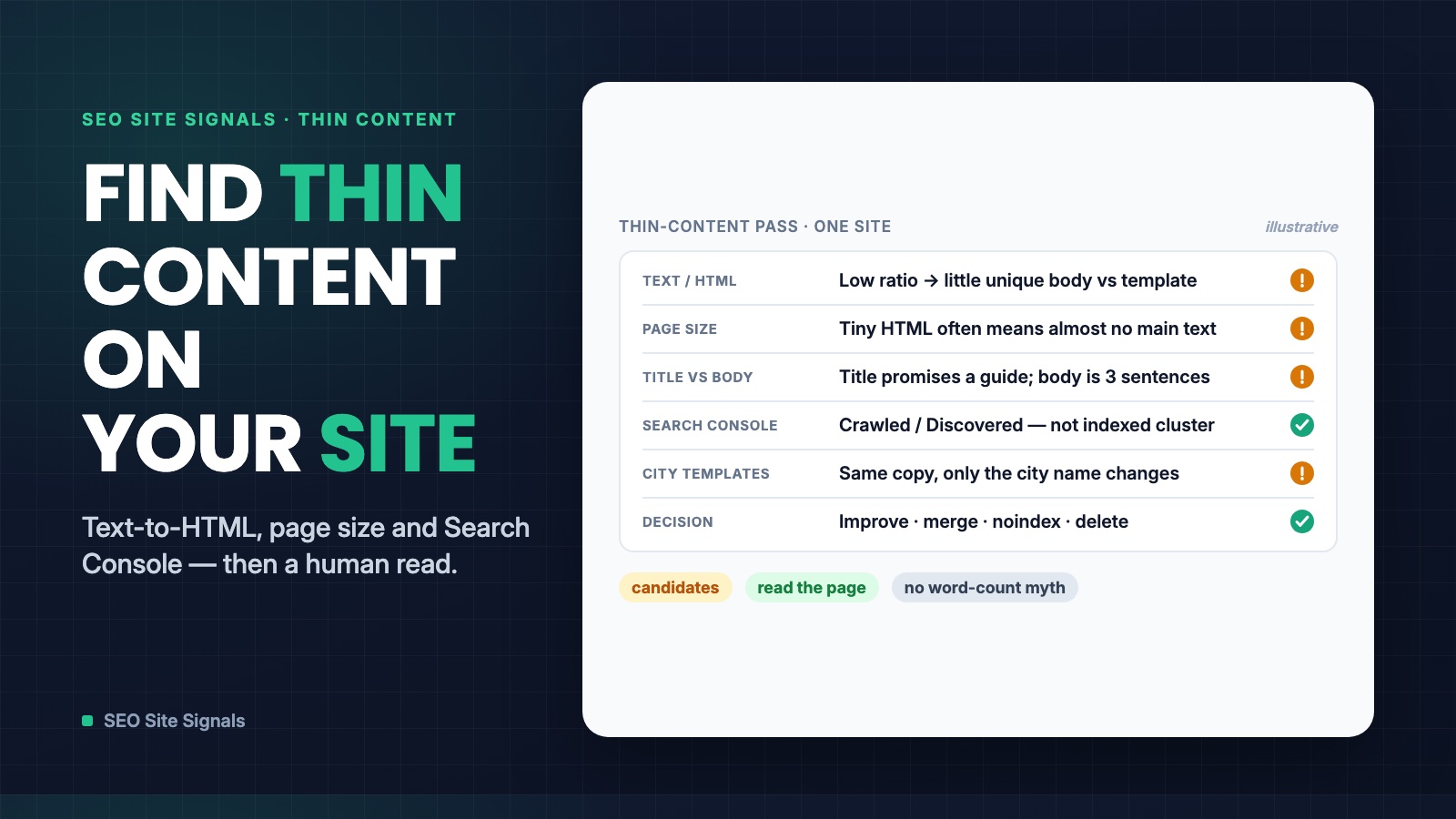
Thin content is a page that doesn't give a searcher enough useful, original substance to answer what they came for. Google does not publish a word-count cutoff, and it does not sell a "thin content checker." Pages that leave readers needing to search again, pages made mainly to attract search visits, and large sets of low-value pages can be ignored, demoted, or treated as spam. Find them by reading like a visitor, then confirming with text-to-HTML ratio, HTML page size, and Search Console's Page indexing report.
This guide is a practical find-and-fix pass for small and mid-size site owners. The free checks linked below are helpers; they never replace reading the page.
What counts as thin content?
Thin content is not "short." A focused FAQ answer, a product page with clear specs, or a local landing page with real details can be short and still useful. Thin means the main content does little work for the reader: it restates the query, copies merchant text, repeats a template with one keyword swapped, or exists mainly so the URL can rank.
Google's guidance on creating helpful, people-first content asks whether a page provides original information, a substantial description of the topic, and enough value that someone would bookmark or recommend it. Warning signs on the same page include content made primarily to attract search visits, writing to a word count, summarizing others without adding much, and leaving readers feeling they need to search again.
In Search Console, a manual action labeled "Thin content with little or no added value" points at low-quality or shallow pages, including thin affiliate pages, scraped posts, and doorways. Many sites never see that action. More often, weak pages sit in "Crawled — currently not indexed" or "Discovered — currently not indexed," or they simply rank poorly.
Does Google demote thin content?
Yes, in practice, though the mechanism depends on how the thin pages show up:
Ranking systems prefer helpful pages
Google says its automated ranking systems prioritize helpful, reliable information created for people, not content created to manipulate rankings. Thin pages compete poorly against pages that actually answer the query.
Spam policies catch scaled and doorway abuse
Google's spam policies cover scaled content abuse (many pages generated mainly to manipulate rankings, with little value, no matter how they were created), doorway abuse (pages built to rank for similar queries and funnel users elsewhere), and thin affiliation (affiliate pages that copy merchant text without original value).
Indexing is not a guarantee of ranking
The Page indexing report can show pages Google crawled but chose not to index. That status is common and not always an error, but clusters of thin, near-duplicate, or template-only URLs often land there. Indexed pages can still rank poorly if they add little.
Manual actions are the rare, explicit case
If Search Console shows a thin-content manual action, follow Google's fix steps, improve or remove the affected URLs, then request a review. Most SMB sites never reach this stage; they simply fail to earn impressions.
There is no public Google tool that lists every thin URL on your site. "Thin content checker" search results usually point to third-party crawlers that flag short word counts. Word count alone is a weak proxy. Use it only as a candidate list, then judge substance and intent.
How do I find thin content on my website?
Work in three passes: inventory, technical signals, then a human read. Keep a simple spreadsheet with URL, page type, candidate reason, and decision (improve, merge, noindex, or delete).
1. Build a candidate list
Pull URLs from your XML sitemap, your CMS, and Google Search Console. Look at pages with impressions but almost no clicks, and URLs stuck under crawled-not-indexed or discovered-not-indexed. Tag archives, thin category pages, near-duplicate location pages, and parameter URLs are frequent candidates on small business sites.
Google's SEO Starter Guide still starts from the basics: unique, descriptive titles and content written for people. Pages that fail that bar belong on your list even if they have a healthy word count of fluff.
2. Use text-to-HTML ratio and page size as thinness signals
A page can look long because the template is large: navigation, scripts, cookie banners, and footers. The main content may still be a short paragraph. The text to HTML ratio test compares visible text to HTML size. A low ratio often means template bloat or little unique copy. Pair it with the HTML page size test so you can tell a lightweight thin page from a heavy page that is mostly chrome.
Neither test proves spam. They surface candidates. A short useful tool page can be fine; a long page of filler can still be thin. Always open the URL.
3. Check what the page claims to be about
Before you rewrite anything, confirm the page has a clear topic. List headings with the heading tags test, and skim the meta title and meta description tests. If the title promises a full guide and the body is three generic sentences, the page is thin relative to its promise. Near-identical city-name titles are a doorway or scaled-content risk until each page shows real local substance.
4. Read the main content like a first-time visitor
Ask the same questions Google asks creators to ask themselves:
- Does this page answer a real question with original detail, or does it restate the heading?
- Would a customer who landed here leave with the next step they needed?
- Is most of the text unique to this URL, or is it reused across dozens of pages?
- Was this page created mainly so it could rank for a keyword variant?
If you answer "no," "no," "reused," and "yes," mark it thin and decide the fix.
What should I do once I find thin pages?
Improve the page when the URL deserves to exist
Add the missing facts, examples, pricing context, photos from your own work, or step-by-step detail a customer actually needs. Keep one clear purpose. Do not pad to hit a word count; Google explicitly says it has no preferred word count.
Merge near-duplicates
If five city pages say the same thing, keep the strongest URL (or a genuine regional hub), move unique lines into it, and 301 the rest. Scaled sets of near-identical pages are exactly what the scaled content and doorway policies describe.
Noindex or remove utility pages that should not rank
Thank-you pages, internal search results, thin tag archives, and filtered faceted URLs often should not compete in Search. Use noindex when the page must stay for users, or delete and return 404/410 when it should disappear.
Fix thin affiliate and scraped blocks
If a page mostly reprints a merchant feed, add original testing, comparisons, or local availability detail, or drop the page. Thin affiliation is called out by name in Google's spam policies and in the manual-actions help.
After you change important URLs, use URL Inspection when you need a faster recrawl. Expect days to weeks for reprocessing. Watch Page indexing for previously ignored URLs, and Performance for the queries those URLs were meant to serve.
A practical thin-content pass for an SMB site
- Export or list indexable URLs from your sitemap and CMS; add Search Console URLs with impressions but near-zero clicks.
- Run a sample of suspects through the text-to-HTML ratio and HTML page size tests; note low-ratio and tiny-body pages.
- Open each candidate: does the main content fulfill the title's promise with original detail?
- Check headings and title/description for boilerplate or keyword-only patterns.
- Decide improve, merge+redirect, noindex, or delete; record the decision.
- Ship the changes, request indexing on priority URLs, and re-check Page indexing and Performance after the next crawl cycle.
- For a wider sweep of on-page and technical signals in one report, run Instant Analysis or the full tools list.
What most "thin content checker" articles miss
Most "thin content checker" results stop at a word-count threshold or a paid crawl score. That misses template-heavy pages with almost no unique body, location pages that only swap a city name, and URLs Google crawled but declined to index. Combine Search Console status, text-versus-HTML signals, and a human read against Google's people-first and spam-policy language.
Frequently asked questions
Is there an official Google thin content checker?
No. Google does not offer a public thin-content scanner. Use Search Console's Manual actions and Page indexing reports, then evaluate pages against its helpful-content and spam-policy documentation.
Does Google demote pages under a certain word count?
Google does not publish a minimum word count and says writing to a particular word count because you heard Google prefers one is a warning sign. Substance and purpose matter more than length.
What is the difference between thin content and scaled content abuse?
Thin content is a quality problem on one or many pages that add little value. Scaled content abuse is a spam policy against generating many pages primarily to manipulate rankings, with little value for users, regardless of whether AI, scripts, or people produced them.
Can a short page still rank?
Yes, if it fully satisfies the query. A clear hours-and-directions page or a precise definition can outperform a long page of filler. Judge the page against the searcher's need, not against an arbitrary length target.
How does text-to-HTML ratio help find thin content?
It highlights pages where the HTML document is large relative to the visible text, which often means the unique body is small. Use it to build a candidate list, then read the page before you rewrite or remove anything.
Should I noindex every thin page?
No. Improve pages that should rank. Merge duplicates. Reserve noindex for URLs that must stay for users but should not appear in Search, and delete pages that should not exist at all.
Find thin pages before you rewrite the wrong ones
Start with the text to HTML ratio test on a few suspect URLs, check size with the HTML page size test, then run Instant Analysis or open the full list of free checks when you want titles, headings and technical signals in one pass.
SEO Site Signals is built by PositionMySite, a North American software company in Toronto and Tampa that has been shipping web software since 2009. Our in-house team designs the free on-page, speed, security and AI-crawler checks on this site, and the monitoring dashboard, so small and mid-size teams can see what a page actually says to Google before they pay for an enterprise suite.
Last updated: November 5, 2026 | Author: Bogdan Blokhin | Sources: Google Search Central, Creating helpful, reliable, people-first content; Google Search Central, Spam policies for Google web search; Google Search Central, SEO Starter Guide; Google Search Console Help, Page indexing report; Google Search Console Help, Manual actions report.