
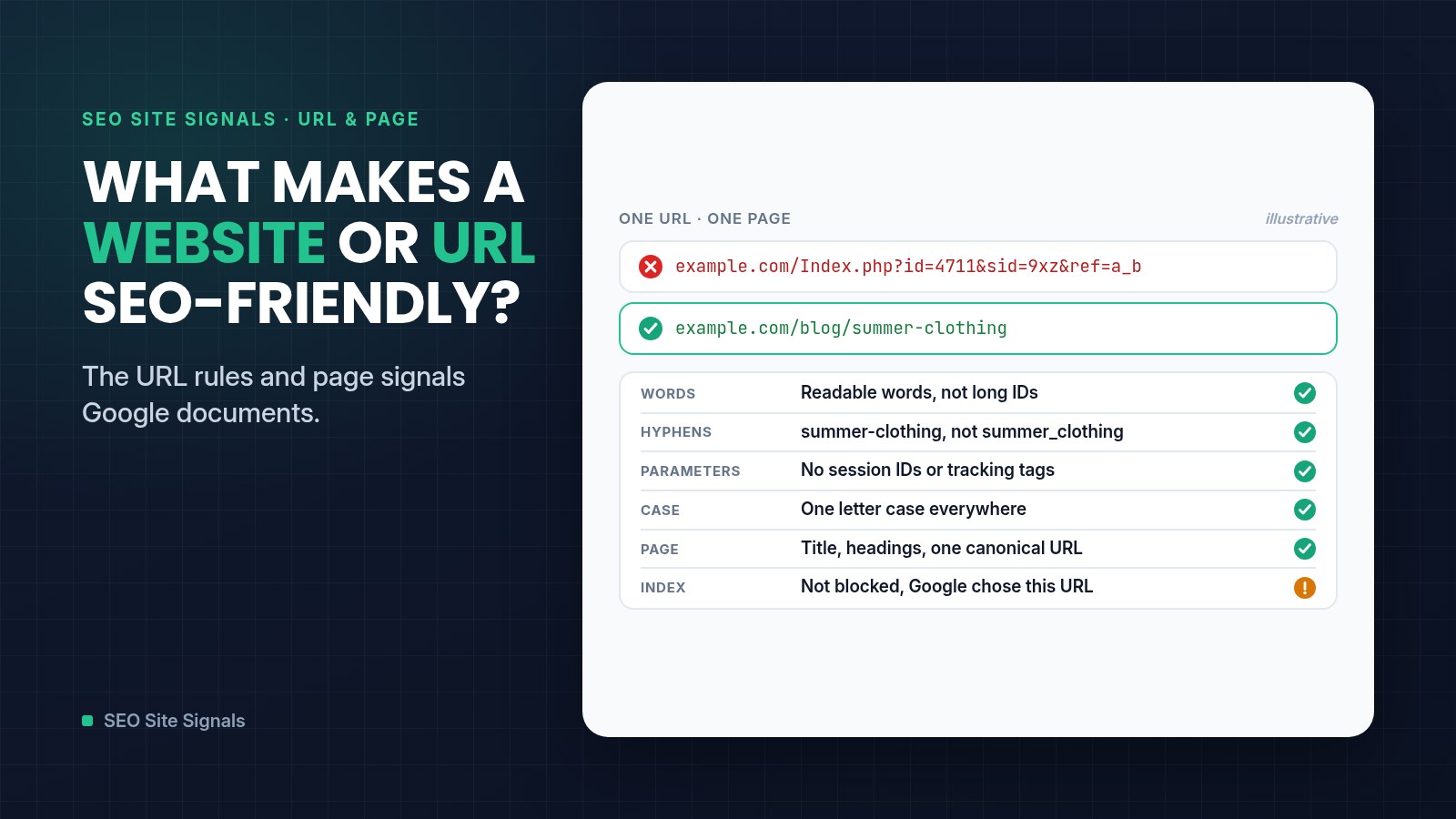
A website is SEO-friendly when Google can crawl each important page at one clear, stable URL, and can understand each page from its title, headings and text once it gets there. A friendly URL is made of readable words, uses hyphens between them, carries as few parameters as possible, and keeps one letter case. A friendly page has a title Google can use, a heading outline that matches the content, a single canonical URL, and nothing blocking it from the index. A tidy URL on its own won't make a page rank, but a messy one can waste crawling and split signals across duplicates.
That's the short answer. The rest of this guide splits the question in two, the URL and the page, ties each point to the Google documentation it comes from (with the date that page was last updated), and ends with a short pass you can run on any URL in about ten minutes.
What does "SEO-friendly" mean to Google?
Google doesn't publish a "friendliness" grade, and no tool can show you one. What Google does publish is a set of requirements and recommendations for how it crawls URLs and reads pages. A site counts as SEO-friendly when it gets out of the way of those three jobs:
Crawling: can Google reach the page?
Google's URL structure best practices (last updated October 21, 2026) warn that URLs which don't meet its requirements will "likely" be crawled inefficiently, at extremely high rates, or not at all.
Indexing: which URL is the real one?
When the same content lives at several addresses, Google picks one to show. You can help it pick the right one, as described in how to specify a canonical URL (last updated July 10, 2026).
Understanding: what is the page about?
The SEO Starter Guide (last updated December 10, 2025) asks for descriptive URLs, clear titles and helpful text, so that people and Google can tell what a page offers before they open it.
So "is this website SEO-friendly?" is really two smaller questions: are the URLs built so Google can crawl them sensibly, and is each page built so Google can read it? We'll take them in that order.
What makes a URL SEO-friendly?
Google's URL structure page has two parts: hard requirements for a crawlable URL, and best practices that make the structure easy to understand. Google added clearer wording on hyphens versus underscores in its documentation updates log on October 23, 2026, so the page is worth re-reading even if you've seen it before.
The requirements (miss these and crawling suffers)
Follow the URL standard
Google supports URLs as defined by IETF STD 66. Reserved characters must be percent-encoded.
Don't use fragments to change content
Google says it generally doesn't support URL fragments, so content that only appears at example.com/#/potatoes may never be seen. Sites that swap content with JavaScript should use the History API so each view gets a real URL.
Use a common parameter encoding
Separate key and value with = and add parameters with &. Brackets, colons or double commas as separators are on Google's "not recommended" list.
The best practices (these make URLs easy to understand)
Readable words, not long IDs
Google's own example contrasts /wiki/Aviation with /index.php?topic=42&area=3a5ebc944f41daa6f849f730f1. The first tells a person and a crawler what to expect.
Your audience's language
Use the words your readers search in. For non-ASCII characters, percent-encode them in your links.
Hyphens between words
Google recommends hyphens (summer-clothing) over underscores (summer_clothing) or joined words (greendress). Its reasoning: underscores often mark things that belong together, like a function name, while a hyphen clearly signals a word boundary.
As few parameters as you can
Trim parameters that don't change the content, such as referral tags, sort orders that aren't needed, and session IDs. Google suggests cookies instead of session IDs in URLs.
One letter case
Google treats /APPLE and /apple as two different URLs. If your server answers both, pick one case and use it everywhere.
The traps that multiply URLs
The same Google page lists the patterns that quietly create thousands of near-identical URLs: filters that can be stacked on top of each other, irrelevant parameters, calendars that link forever into the future, and parent-relative links that build bogus paths on servers that don't return a proper 404. Google's fixes are to use root-relative links, add nofollow to links into endless calendar pages, and consider blocking problem URL patterns in robots.txt. If you want to see how these traps affect your whole site's structure, our website structure guide covers click depth, internal links and duplicate URL explosions.
Does a keyword in the URL help you rank?
Barely. The SEO Starter Guide says that keywords in the domain name or URL path "alone have hardly any effect beyond appearing in breadcrumbs." Parts of the URL can show as breadcrumbs in results, so a descriptive path helps people decide whether to click. That's a reason to use real words, not a reason to stuff the phrase you're targeting into every folder. Where the keyword really belongs is covered in how to check a page for keywords.
What makes a page SEO-friendly?
A clean URL gets Google to the page. What Google does next depends on the page itself. Four things decide whether it can index and understand it:
A title Google can use
Google's guide to influencing title links (last updated December 10, 2025) asks for a unique, descriptive, concise <title> on every page, without boilerplate or keyword stuffing. Test yours with the meta title checker.
A heading outline that matches the page
One main heading that says what the page answers, and subheadings in the order a reader needs them. The heading tags checker lists H1 to H6 so you can spot a missing or duplicated H1.
One canonical URL
Each page should declare one canonical URL that points to itself; confirm it with the canonical tag checker.
Nothing keeping it out of the index
A leftover noindex or a robots.txt block undoes everything above. Our URL Inspection guide shows how to confirm that Google has indexed the page and which URL it chose.
Images need alt text too. Google's image SEO guide (last updated March 2, 2026) calls alt text the most important attribute for image metadata. The page should also load over HTTPS and fit a phone screen. None of this is exotic. It's just the parts of the page Google reads first.
How to test one URL and one page in ten minutes
You don't need a site-wide crawl to answer the question for a page you care about. Pick one important URL, such as your main service page or a top article, and work through it:
1. The address itself
Run it through the SEO-friendly URL test. It checks length, lowercase, hyphens versus underscores, tracking parameters and session IDs, folder depth, special characters and trailing-slash consistency.
2. The versions of the address
Do http://, https://, www and non-www all end up at the same place? The URL canonicalization test shows whether they redirect to one version, and the HTTPS test confirms the secure version works.
3. The page's signals
Title, headings and canonical, using the checks linked above. Then run the image alt text checker and the descriptive link text checker to find vague "click here" anchors.
4. The phone view
The viewport test confirms the page declares a mobile viewport, so it doesn't render as a shrunken desktop page.
5. The index
In Google Search Console, inspect the URL to confirm it's indexed and that Google picked the same canonical you declared.
If a URL passes all five, it's SEO-friendly in every sense Google documents. Then repeat the pass on each kind of page you have (home, category, product or service, article), because one template usually produces thousands of URLs that share the same problems.
What can a friendliness test not tell you?
A test can tell you whether a URL follows Google's published guidance and whether a page sends clear signals. It can't tell you where you rank, and it can't predict whether you will. Rankings depend on how useful the content is compared with everything else competing for the query, which no URL or tag test measures. Treat any single number as a to-do list, not a verdict; what an SEO score actually means goes into why.
Should you rename old URLs to make them friendlier?
Usually not. A URL that already gets traffic and links has history attached to it, and changing it means Google has to recrawl, follow a redirect and move its signals to the new address. Fix the URL patterns for new pages, and change old URLs only when the current ones cause real problems, such as duplicates, session IDs or parameter clutter. When you do change one, use a permanent redirect from the server. Google's redirects guide (last updated April 14, 2026) says a server-side redirect has the highest chance of being interpreted correctly. Then update your internal links so they point straight at the new address.
Frequently asked questions
What makes a URL SEO-friendly?
Readable words in your audience's language, hyphens between words, as few parameters as possible, one consistent letter case, and no content that only exists behind a URL fragment. Those points come straight from Google's URL structure best practices.
Should I use hyphens or underscores in URLs?
Hyphens. Google recommends them because they clearly mark word boundaries, while underscores are often read as joining words together.
Does a keyword in the URL help my page rank?
Hardly at all on its own. Google's SEO Starter Guide says keywords in the domain or URL path have hardly any effect beyond appearing in breadcrumbs. Descriptive words still help people decide whether to click.
Is an SEO-friendly website test enough to know my site is fine?
It shows whether your URLs and page signals follow Google's guidance. It doesn't measure content quality or rankings, so pair it with URL Inspection and your own Search Console data.
Does a clean URL make a page rank higher?
Not by itself. A clean URL helps Google crawl the page and helps people trust the result, but the page still has to be the most useful answer for the search.
Should I rename old URLs to make them friendlier?
Only when the current URLs cause real problems. If you change one, redirect the old URL permanently to the new one and update your internal links.
Test your own URLs
Start with the page that matters most to your business. Run Instant Analysis on it to see the on-page and technical signals in one pass, or open the full list of free checks and work through the address, the page and the phone view one test at a time.
SEO Site Signals is built by PositionMySite, a North American software company in Toronto and Tampa that has been shipping web software since 2009. Our in-house team designs the free on-page, speed, security and AI-crawler checks on this site, and the monitoring dashboard, so small and mid-size teams can see what a page actually says to Google before they pay for an enterprise suite.
Last updated: November 12, 2026 | Author: Jay Patel | Sources: Google Search Central, URL structure best practices; Google Search Central, Documentation updates; Google Search Central, SEO Starter Guide; Google Search Central, How to specify a canonical URL; Google Search Central, Influencing your title links; Google Search Central, Image SEO best practices; Google Search Central, Redirects and Google Search.