
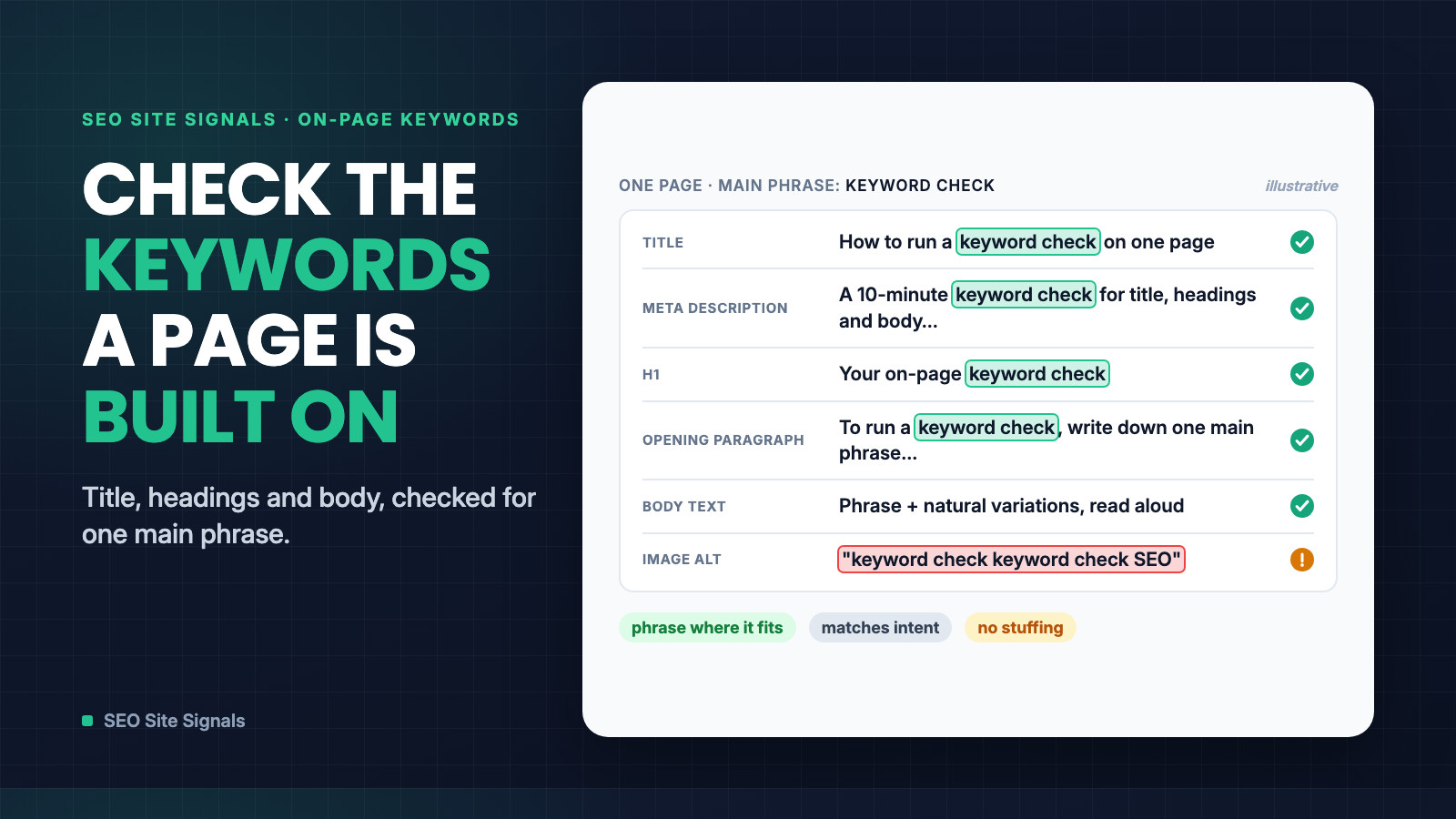
A page is built around the words it uses in the places Google reads first: the title, the main heading, the opening paragraph and the body text, backed up by the URL, image alt text and the links pointing to it. To check a page for the words you want it found for, write down one main phrase, then look for it, or a natural variation, in each of those places. Then confirm the page actually answers what people searching that phrase want.
The check takes about ten minutes per page and needs no paid tool. Below is each spot, what Google's documentation says about it, and where keyword use tips over into stuffing.
How do you find which keywords a page is really built around?
The quickest way to see which keywords a page is really built around is to read it the way a crawler does: strip away the design and count which words appear most, and where. If your main phrase isn't among the most-used meaningful words, the text is about something else.
Run the live URL through the keywords cloud test. It shows the most frequent visible words on the page and how often each appears. Read the top of that list honestly:
- Are the biggest words your topic, or your brand, menu labels and cookie-banner text?
- Does your main phrase appear at all, or only one half of it?
The word list shows what the page talks about. Next, check whether those words sit in the places that tell Google what the page is for.
Where should the main phrase appear on the page?
The main phrase should appear in the few places that describe the page as a whole, written the way a person would say it. Google's SEO Starter Guide asks you to think about the words a user might search for, without worrying about every variation. Check these spots:
Title element
What to look for: the main phrase, or a close variation, near the start of a unique, descriptive title.
Why it matters: the <title> is the first source Google lists for the title link in results. Check it with the meta title test.
Meta description
What to look for: a one or two sentence summary that uses the phrase once and says what the reader gets.
Why it matters: Google may show it as the snippet when it describes the page better than the body text. Check it with the meta description test.
H1 and subheadings
What to look for: an H1 that states the topic in the reader's words, and a few subheadings that use related terms naturally.
Why it matters: Google names heading elements such as <h1> as a title link source. List every heading with the heading tags test.
Opening paragraph
What to look for: the phrase, or the question behind it, answered in the first few sentences.
Why it matters: Google builds most snippets from page content, so a clear early answer gives it something good to show.
Body text
What to look for: the phrase a few times where it fits, plus the related words a knowledgeable writer would naturally use.
Why it matters: Google says varying your words gives you more chances to show up, simply because you're using more of the terms people search.
URL, image alt and link text
What to look for: a short readable slug, alt text that describes each image, and internal links whose words name this page's topic.
Why it matters: these support the main signals. Check them with the SEO friendly URL test, image alt test and descriptive link test.
What does Google say about titles, headings and descriptions?
Google says its title links are generated automatically from several sources, and lists them in its title link documentation: the <title> element, the main visual title on the page, heading elements like the H1, og:title, other large and prominent text, and anchor text on and pointing to the page. If your title doesn't match what the page visibly shows, Google may pick other text for the title link.
The same document asks for titles that are descriptive and concise, and warns against keyword stuffing with an example: a title like "Foobar, foo bar, foobars, foo bars" doesn't help users and can make the result look spammy. It also flags boilerplate titles repeated across many pages.
For descriptions, Google's snippet documentation says snippets are primarily created from the page content itself, and that Google sometimes uses the meta description when it gives a more accurate summary. There's no length limit on the tag, but the snippet is cut to fit the screen, and every page should have its own description rather than one shared across the site.
One heading myth is worth dropping: the Starter Guide says heading order helps screen readers but doesn't matter for Google Search, and there's no ideal number of headings. Use headings to make the topic obvious to a skimming reader. Our title tag testing guide goes deeper on length, truncation and rewrites.
Do the URL, alt text and anchor text matter?
They matter less than the title and content, but each can help. On URLs, the Starter Guide says keywords in the domain name or URL path alone have hardly any effect beyond appearing in breadcrumbs. Keep slugs short and readable.
Alt text counts for more. Google's image SEO guide calls alt text the most important attribute for image metadata, and asks for alt text that uses keywords appropriately and in context. Describe what the image shows; if it's really about your topic, the phrase will fit on its own.
Anchor text on links pointing to the page is one of the title link sources Google lists. When your other pages link here, use words that name this page's topic instead of "click here".
Does the page match what the searcher wants?
A page matches search intent when it gives people the kind of answer they expect for that phrase. Search the phrase yourself and look at what ranks. If the results are step-by-step guides and your page is a sales page, adding the phrase in more places won't fix the mismatch.
Google's guidance on creating helpful, people-first content gives you a self-check. Warning signs include content made mainly to attract search visits, writing to a word count, and pages that leave readers needing to search again.
If the intent is right but the page is thin or dated, improve that page rather than writing a second one on the same phrase. Our guide to improving a page that already exists covers that work.
When does keyword use become keyword stuffing?
Keyword stuffing is filling a page with keywords to manipulate rankings, and Google's spam policies list it as a violation. Its examples include repeating words or phrases so often that it sounds unnatural, and blocks of text listing cities a page wants to rank for.
Read the page out loud. If a sentence only exists to fit the phrase in, cut it. There's no safe percentage to aim for: Google doesn't publish an ideal density, and the Starter Guide says repeating the same words, even in variations, is tiring for users. Two more checks:
Hidden keyword text
White text on a white background, text pushed off-screen with CSS, or zero-size fonts are hidden text under the same policies. Accordions and tabs that show and hide real content are fine.
Meta keywords tag
Google Search doesn't use the keywords meta tag. Filling it in does nothing for Google, so don't spend time on it.
A 10-minute keyword check for one page
- Write down the main phrase and two or three ways a customer might say it.
- Run the URL through the keywords cloud test and note whether the phrase is among the most-used words.
- Check the title and meta description: phrase present once, unique to this page, reads like a person wrote it.
- List the headings: does the H1 state the topic, and do the subheadings add new information?
- Read the first paragraph: does it answer the question behind the phrase?
- Swap forced repetition in the body for natural variations, and check alt text and incoming link text.
- Search the phrase and confirm your page is the same kind of answer as the results.
After you change a page, give Google a few days to a few weeks to recrawl and reprocess it, as its title link documentation notes.
Frequently asked questions
How do I scan my website for keywords?
Check one page at a time. Run the page's URL through a word-frequency check such as a keywords cloud to see which terms it uses most, then confirm your main phrase appears in the title, H1, opening paragraph and body.
How many times should a keyword appear on a page?
There's no set number. Google doesn't publish an ideal keyword density, and its spam policies warn against repeating words so often it sounds unnatural. Use the phrase where it fits, plus natural variations.
Does Google use the meta keywords tag?
No. Google's SEO Starter Guide says Google Search doesn't use the keywords meta tag.
Should my keyword be in the URL?
It can be, if it keeps the URL short and readable, but Google says keywords in the URL path alone have hardly any effect beyond showing in breadcrumbs. Don't change a working URL only to add a phrase.
Why does Google show a different title from the one I wrote?
Google builds title links from several sources, including the title element, the H1, other prominent text and anchor text. If your title is stuffed, boilerplate or doesn't match the page's main heading, Google may pick other text.
Check the words on your next page
See which words a page uses most with the keywords cloud test, or run the full scan to check titles, descriptions, headings, alt text and the technical checks behind them in one report.
Related guides: how to check a blog post before you publish, and what makes a website or URL SEO-friendly.
SEO Site Signals is built by PositionMySite, a North American software company in Toronto and Tampa that has been shipping web software since 2009. Our in-house team designs the free on-page, speed, security and AI-crawler checks on this site, and the monitoring dashboard, so small and mid-size teams can see what a page actually says to Google before they pay for an enterprise suite.
Last updated: November 3, 2026 | Author: Paul Patrick | Sources: Google Search Central, SEO Starter Guide; Google Search Central, Influencing your title links in search results; Google Search Central, Control your snippets in search results; Google Search Central, Spam policies for Google web search; Google Search Central, Creating helpful, reliable, people-first content; Google Search Central, Image SEO best practices.