
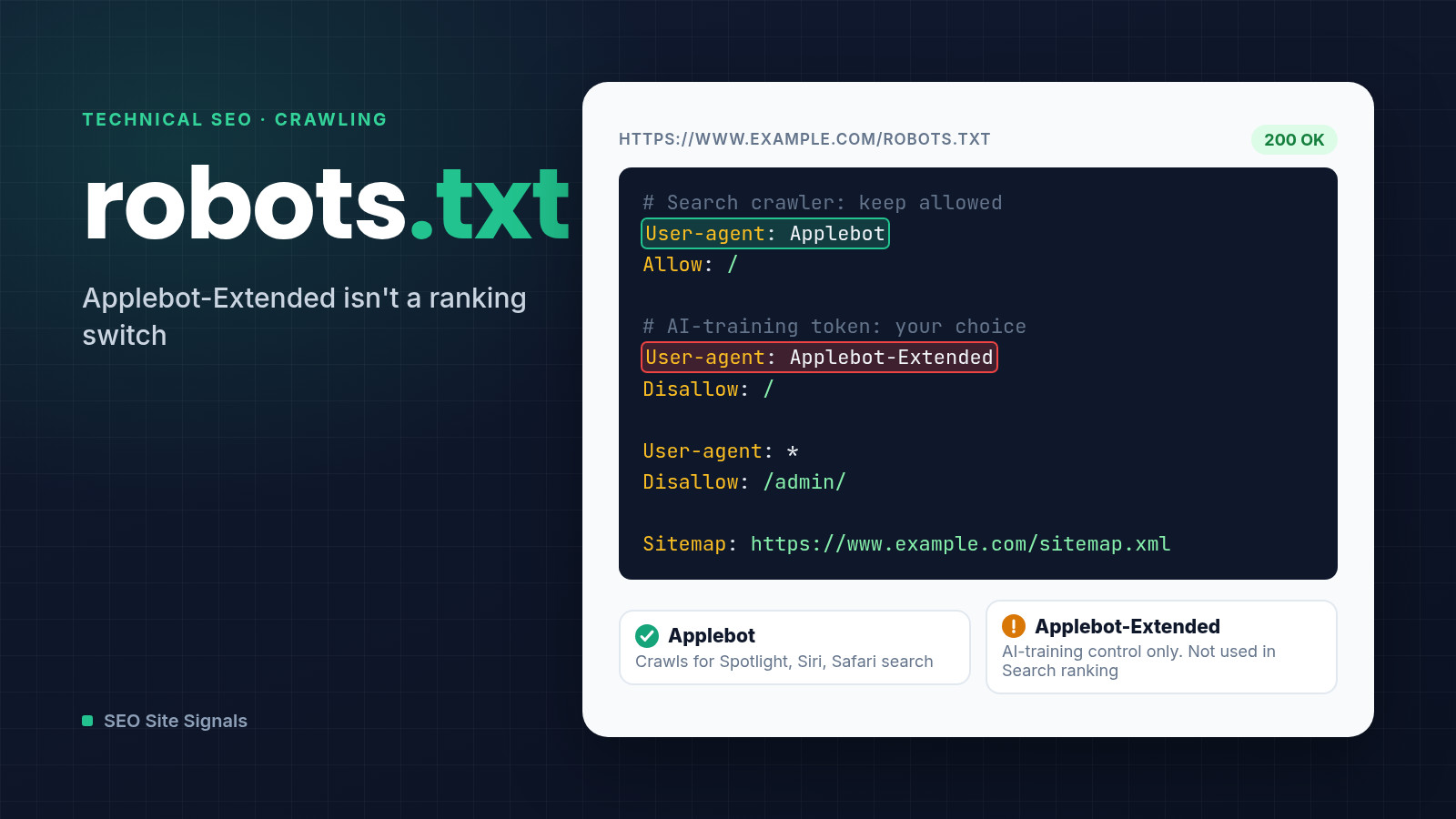
A robots.txt checker tells you which crawlers can fetch which parts of your site, and it matters more now that robots.txt carries two different kinds of rules: rules for search crawlers and rules for AI-training tokens. Apple's Applebot documentation now states plainly that "site rules for Applebot-Extended are not considered in ranking for Search." Blocking or allowing Applebot-Extended is an AI-training decision, not an SEO lever. The real SEO risk in robots.txt is still the old one: a single line that blocks the crawlers you need.
This guide explains what Apple clarified, how the search and AI tokens differ across Apple, Google, and OpenAI, how to test your live file, and how to write AI rules on purpose.
What did Apple clarify about Applebot-Extended?
Apple clarified that Applebot-Extended is a control token, not a crawler, and that rules for it don't affect Apple Search ranking. According to Apple's support page, Applebot-Extended "does not crawl webpages." It only tells Apple whether content crawled by the regular Applebot may be used to train Apple's generative AI models.
- Applebot crawls for Apple's search features in Spotlight, Siri, and Safari.
- Applebot-Extended controls use of that crawled content for training Apple's foundation models.
- Apple says pages that disallow Applebot-Extended "can still be included in search results," and that its rules "are not considered in ranking for Search."
How do search crawlers and AI tokens differ across companies?
Apple, Google, and OpenAI each separate "crawl for search" from "use for AI training," but they name and scope the tokens differently. Blocking the wrong one can remove you from a search product you wanted to appear in.
Apple
Search crawler: Applebot
AI control token: Applebot-Extended
What the AI token controls: Use of Applebot-crawled content for training Apple's generative models. Not used in Search ranking.
Search crawler: Googlebot
AI control token: Google-Extended
What the AI token controls: Training future Gemini models and grounding in Gemini Apps and Vertex AI. Google says it doesn't affect inclusion or ranking in Google Search.
OpenAI
Search crawler: OAI-SearchBot
AI control token: GPTBot
What the AI token controls: GPTBot signals whether content may be used for training. OAI-SearchBot decides whether you can appear in ChatGPT search answers.
The practical rule: block Googlebot, Applebot, or OAI-SearchBot and you lose visibility in those search products. Block Google-Extended, Applebot-Extended, or GPTBot and you are making a training decision. Google's AI Overviews and AI Mode are part of Google Search, so they follow Googlebot rules, not Google-Extended.
How do you test your robots.txt file?
Test robots.txt by fetching the live file from your production domain, confirming it returns HTTP 200, and checking how each rule applies to the crawlers you care about. Test a few real URLs against those rules, not just the file's syntax.
- Run your domain through the Robots.txt Tester. It fetches
/robots.txt, validates the syntax, and shows how allow and disallow rules apply. - Look for a site-wide block:
User-agent: *followed byDisallow: /. That line alone removes the whole site from crawling. - Check that CSS, JavaScript, and image folders aren't blocked. Google needs them to render the page.
- Label every
User-agentgroup as search, AI training, or unknown. Unknown groups usually came from a copied template. - Confirm the
Sitemap:line uses a full absolute URL and points to the sitemap you submit in Search Console.
If you also want to see how AI crawlers read the same file, and whether you publish an /llms.txt, run the llms.txt and AI crawler access test.
What breaks robots.txt on small-business sites?
Most robots.txt problems on small sites come from launches, migrations, and copied snippets rather than deliberate choices. These are the patterns that cause real traffic losses:
- A staging block that went live.
Disallow: /added during development and never removed. - Blocked assets. Old rules that disallow
/wp-content/,/assets/, or/js/, which stop Google rendering the page properly. - Using robots.txt to hide pages from search. A
Disallowdoesn't remove a URL from results. Google's documentation says to use noindex for that, on a page Google is allowed to crawl. - A copied "block all AI bots" list that also blocks search crawlers such as OAI-SearchBot or Applebot.
- The file returning an error. A CDN error page or a redirect loop at
/robots.txtinstead of a plain text file.
How should you write AI crawler rules on purpose?
Write AI rules as a documented business decision: decide which search products you want to appear in, allow their crawlers, and then decide separately whether you allow AI training. Keep each group short and add a comment with the reason.
A site that wants to appear in search and AI answers but opts out of model training might use:
User-agent: *
Disallow: /wp-admin/
Allow: /wp-admin/admin-ajax.php

# Opt out of AI training (search crawling stays allowed)
User-agent: GPTBot
Disallow: /

User-agent: Google-Extended
Disallow: /

User-agent: Applebot-Extended
Disallow: /

Sitemap: https://www.example.com/sitemap.xml
That is an example, not a recommendation. Plenty of businesses allow training because they want their brand and products described accurately in AI tools. Either is a valid choice, as long as it is deliberate and doesn't touch the search crawlers.
Robots.txt checker FAQ
Does blocking Applebot-Extended hurt my rankings in Apple search?
No. Apple's documentation says site rules for Applebot-Extended are not considered in ranking for Search, and that pages disallowing it can still appear in search results. Applebot-Extended only controls whether content crawled by Applebot may be used to train Apple's generative AI models.
Does blocking Google-Extended remove me from AI Overviews?
No. Google says Google-Extended doesn't affect inclusion or ranking in Google Search. AI Overviews and AI Mode are part of Search and rely on Googlebot. Google-Extended controls use of your content for training Gemini models and for grounding in Gemini Apps and Vertex AI.
Can robots.txt keep a page out of Google?
Not reliably. robots.txt controls crawling, not indexing. A blocked URL can still appear in results, usually without a description, if other pages link to it. To keep a page out of results, allow crawling and use a noindex meta tag or X-Robots-Tag header.
Where does robots.txt need to be?
robots.txt must be at the root of the host it applies to, such as https://www.example.com/robots.txt, and each subdomain and protocol needs its own file. It should return HTTP 200 with plain text. Google also ignores content beyond its documented size limit of 500 KiB.
How often should I check robots.txt?
Check it after every launch, migration, theme or plugin change that touches SEO settings, and CDN configuration change. Those are the moments a staging block or an overbroad rule slips into production. A quick check after deploy is far cheaper than finding the problem in lost traffic weeks later.
Label every group in your live file: run your domain through the Robots.txt Tester and mark each user-agent as search, AI training, or unknown before anyone edits a line.
SEO Site Signals is built by PositionMySite, a Toronto and Tampa software company that has been shipping web products since 2009. Our in-house engineers build the free crawl and AI-readiness checks on this site, including the robots.txt test, and the paid monitoring dashboard. The free checks are there so smaller teams can spot a crawl problem without paying for an enterprise suite first.
Last updated: September 25, 2026 | Author: David Dayan | Sources: Apple Support, "About Applebot"; Google, "Google's common crawlers" (Google-Extended); OpenAI, "Overview of OpenAI Crawlers"; Google Search Central, "Introduction to robots.txt"; Google, "How Google interprets the robots.txt specification".