
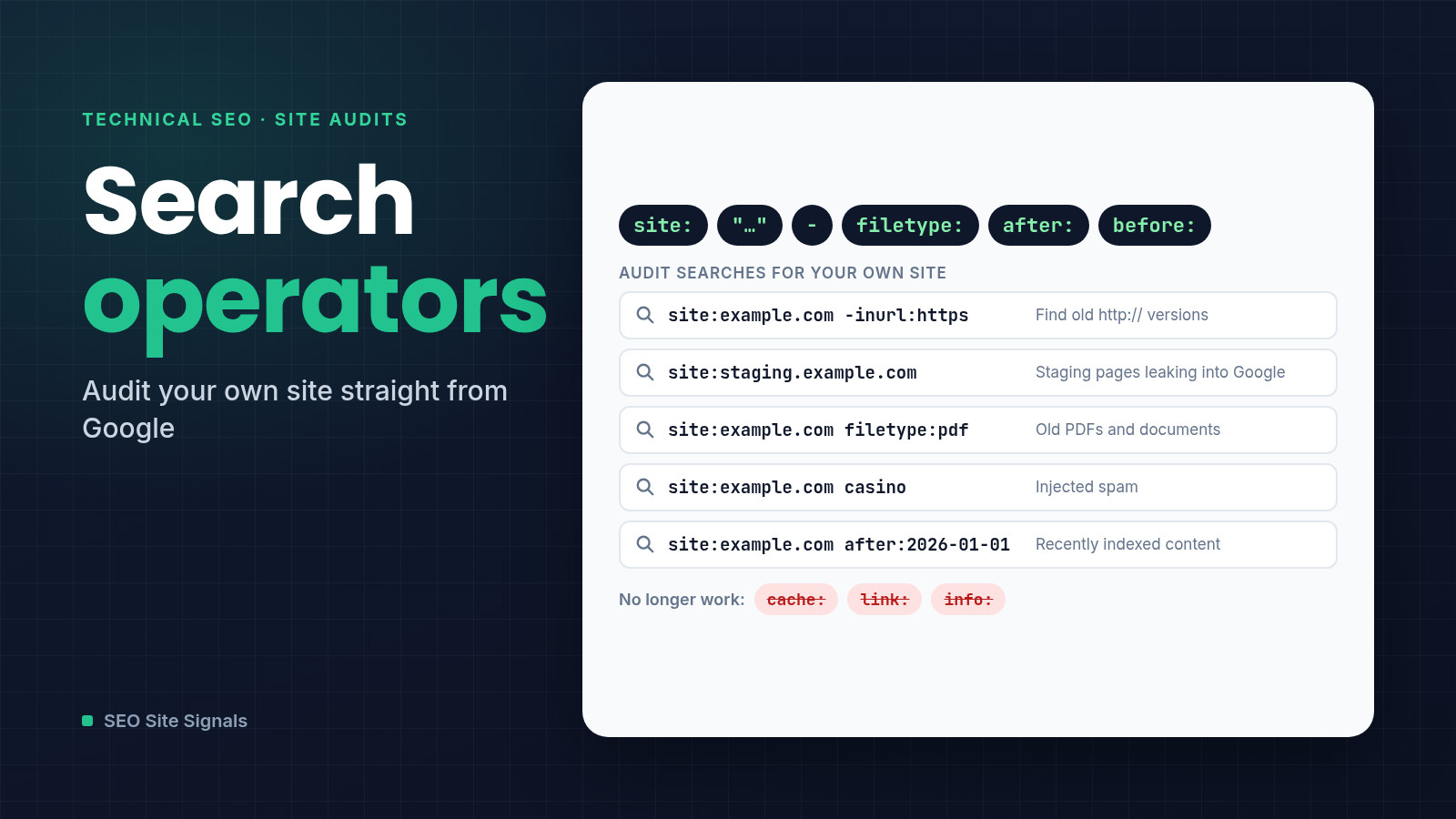
Google search operators are short commands, such as site:, quotes, and a minus sign, that narrow what Google returns. For site owners, their real value is auditing: finding duplicate pages, forgotten staging URLs, old PDFs, and spam injected into your site. Google's own documentation officially lists only a handful of operators and warns that results are limited, so use them for spot checks and confirm anything important in Search Console.
This guide covers the operators Google documents, practical audit searches you can copy, and the old operators that no longer work.
Which search operators does Google officially support?
Google's Search Help page on refining searches and its Search Central operators page document these:
"..."
What it does: Exact word or phrase
Example: "emergency plumber toronto"
site:
What it does: Results from a domain, URL, or URL prefix
Example: site:example.com/blog/
-
What it does: Excludes a word or site
Example: site:example.com -inurl:blog
filetype:
What it does: A specific file type
Example: site:example.com filetype:pdf
before: / after:
What it does: Documents updated before or after a date
Example: site:example.com after:2026-01-01
imagesize:
What it does: Images of given dimensions (Google Images only)
Example: site:example.com imagesize:1200x800
src:
What it does: Pages referencing an image URL (Google Images only)
Example: src:https://example.com/logo.png
Other operators such as intitle:, inurl:, and OR often still work, but Google doesn't document them on these pages, so treat their results as rough. Don't put a space after the colon: site:example.com works, site: example.com doesn't.
How reliable is a site: search?
A site: search shows a sample of pages Google has indexed from your domain, not a full list, and the result count is an estimate. Google's documentation says search operators are bound by indexing and retrieval limits, and that the URL Inspection tool in Search Console is more reliable for debugging.
So use site: to spot things that shouldn't be there, not to count indexed pages. For totals, use the Page indexing report in Search Console.
What audit searches are worth running on your own site?
Replace example.com with your domain. Each of these takes seconds and often turns up something worth fixing.
Find duplicate versions of your site
site:example.com -inurl:https or site:example.com -inurl:www can surface http or non-www versions Google still has. If they appear, the redirects or canonicals between versions may need fixing. The URL Canonicalization Test checks whether all versions resolve to one.
Find staging or development pages
site:staging.example.com or site:example.com inurl:dev reveals test copies that should be password-protected or noindexed.
Find old PDFs and documents
site:example.com filetype:pdf lists indexed PDFs. Old price lists, menus, and brochures often outrank the current page for a search.
Find injected spam
site:example.com casino, site:example.com viagra, or similar spam terms can reveal hacked pages. Google's operators page specifically mentions site: for monitoring comment spam.
Find pages about the same topic
site:example.com "water heater installation" shows which of your pages Google associates with a phrase. If several appear, they may be competing with each other, and one may need merging or refocusing.
Find recently indexed content
site:example.com after:2026-06-01 gives a rough view of newer pages Google shows from your site. The date filter depends on how Google reads page dates, so results are approximate.
Which old operators no longer work?
Many operator cheat sheets are out of date. Google removed cached page links from results in early 2024, and the cache: operator stopped working later that year. The link: operator stopped being a useful backlink check years ago, and the + operator was removed long before that; use quotes instead. Operators like info: and related: are not in Google's current documentation, so don't build audits around them.
For what Google actually has indexed and how it sees a URL, use Search Console's URL Inspection tool. For links to your site, use the Links report in Search Console.
What should you do with what you find?
- Duplicate URL versions: 301-redirect to one version and set self-referencing canonicals. Confirm with the Canonical Tag Checker.
- Staging pages: password-protect or noindex them, then remove them with the Removals tool if they're urgent.
- Outdated PDFs: update them, redirect them to the current page, or return a 404 or 410. The soft 404 guide covers the status codes.
- Spam pages: clean the site, fix the vulnerability, and follow Google's guidance for hacked sites.
- Competing pages: merge or differentiate, and point internal links at the page you want to rank.
Search operators FAQ
Does a site: search show every indexed page?
No. It shows a sample, and the result count is an estimate. Google recommends Search Console for reliable indexing data. Use the Page indexing report for totals and URL Inspection for a specific URL.
Does the cache: operator still work?
No. Google removed cached page links from search results in early 2024, and the cache: operator stopped working later that year. Use URL Inspection in Search Console to see how Googlebot renders your page.
How do I check backlinks without the link: operator?
Use the Links report in Search Console, which shows top linking sites and your most-linked pages. It's a sample, but it comes from Google's own data, which the old link: operator never really did.
Can search operators be combined?
Yes. For example, site:example.com filetype:pdf "price list" finds PDFs on your site containing that phrase. Combining operators narrows results further, but it also makes the limits of operator results more noticeable.
Why do I see a page in site: results that I deleted?
Google may not have recrawled it yet. Make sure the URL returns a 404 or 410, or redirects to a relevant page. For urgent cases, the Removals tool in Search Console temporarily hides it while Google catches up.
Found duplicate URLs with site:? Check which version each page declares as canonical with the free Canonical Tag Checker, then line it up with your redirects so Google sees one clear version of every page.
PositionMySite has been building for the web since 2009 from Toronto and Tampa. Our in-house team makes SEO Site Signals, a set of free SEO tools for small and mid-size businesses that turns the checks we run with search operators into one-click reports.
Last updated: September 25, 2026 | Author: David Dayan | Sources: Google Search Central, "Overview of Google search operators"; Google Search Help, "Refine Google searches"; Search Console Help, "URL Inspection tool"; Search Console Help, "Links report"; web.dev (Google), "Help, I think I've been hacked"; Search Engine Land, "Google Search completely kills the cache feature".