
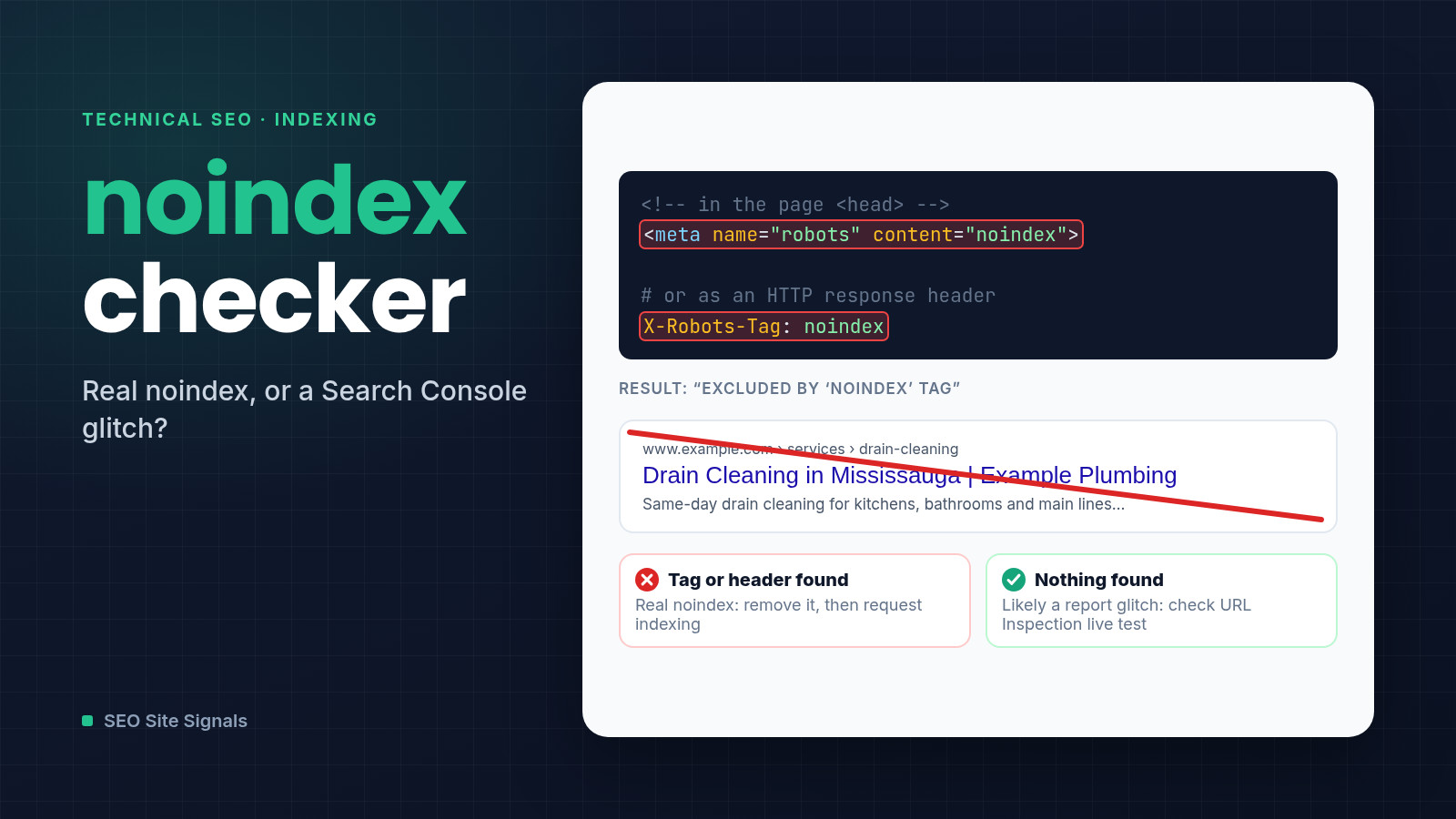
A noindex checker answers one question about a live URL: is the page telling search engines not to index it? That instruction can sit in a <meta name="robots"> tag in the HTML or in an X-Robots-Tag HTTP header you'll never see in View Source. Check it before you react to a scary Search Console status. On September 8, 2026, Search Console briefly labelled indexed pages, homepages included, as "Crawled - currently not indexed." Google confirmed it was a reporting blip. A real noindex looks the same in a screenshot and doesn't fix itself.
Here is how to tell the two apart in five minutes, where accidental noindex comes from, and how to remove it safely.
What does noindex actually do?
Noindex is an instruction that tells Google not to show a page in search results. Google documents two ways to send it, and both work only if Google can crawl the page and read the instruction.
- Meta robots tag in the page head:
<meta name="robots" content="noindex">, orname="googlebot"to target Google only. - HTTP response header:
X-Robots-Tag: noindex, which also works for PDFs and other non-HTML files. - Not a noindex: a
Disallowline in robots.txt. That blocks crawling, not indexing, and it stops Google from ever seeing a noindex on the page.
Google's documentation is explicit on the last point. If robots.txt blocks a page, the crawler never sees the noindex rule, and the URL can still appear in results if other pages link to it.
What happened in Search Console in September 2026?
On the night of September 8, 2026, Search Console reported many indexed pages as "Crawled - currently not indexed" for a short period. Site owners posted screenshots of homepages marked as not indexed. On September 9, Google's John Mueller confirmed on Bluesky that it was "a short blip that was resolved quickly in the night," and noted that it was easy to double-check things like the indexing of the homepage.
The lesson isn't about that one incident. A status in a report is Google's label after processing. A noindex is an instruction your server sends. They fail in different ways, so check the instruction before you change anything.
How do you tell a reporting glitch from a real noindex?
Tell them apart by checking the live response for a noindex instruction, then checking whether Google still shows the page. If there is no noindex and the page is still in search, you are almost certainly looking at a reporting problem.
- Pick one important URL, such as the homepage or a main service page, not a thin tag page.
- Run it through the Noindex Tag Checker. It fetches the live URL and reports both the meta robots tag and the
X-Robots-Tagheader. - Use URL Inspection in Search Console and run a live test. It shows whether Google can fetch the page and whether indexing is allowed.
- Search for the page by its exact title or URL. If it appears, it is indexed.
- Decide: noindex present means fix the source. No noindex and the page appears in search means wait and re-check the report. No noindex and the page is really missing points to a quality, duplication, or canonical problem, not a robots problem.
Noindex found? Yes
Page in Google? Yes, for now
Likely cause: New noindex, not yet recrawled
Next step: Remove it quickly, before the next crawl drops the page
Noindex found? Yes
Page in Google? No
Likely cause: Accidental noindex
Next step: Remove at the source, then request indexing
Noindex found? No
Page in Google? Yes
Likely cause: Reporting delay or glitch
Next step: Don't change anything; re-check in a few days
Noindex found? No
Page in Google? No
Likely cause: Quality, duplication, canonical, or soft 404
Next step: Look at the page, not the robots settings
Where does accidental noindex come from?
Accidental noindex almost always comes from a setting meant for staging or a private page leaking into production. On small-business sites the usual sources are:
- The CMS "discourage search engines" setting left on after launch. In WordPress it sits under Settings, Reading.
- SEO plugin defaults that noindex categories, tags, or a custom post type that actually holds your service pages.
- Staging themes or builds that hard-code a noindex tag and get deployed as-is.
- CDN, host, or edge rules that add
X-Robots-Tag: noindexto a path, often left over from a password-protected preview. - Page-level toggles in page builders, set on a template and copied to every page built from it.
Header-based noindex is the hardest to spot, because it doesn't appear in the HTML. That is why a checker that reads response headers catches problems View Source misses.
How do you remove a noindex safely?
Remove a noindex at the place that generates it, confirm the live response is clean, and then ask Google to recrawl. Changing only the visible HTML won't help if a header or plugin adds the instruction back.
- Find the source: CMS setting, plugin, theme template, or server/CDN rule.
- Remove it and clear every cache layer, including the CMS cache, the CDN, and any host cache.
- Re-run the Noindex Tag Checker on the same URL and a second URL from the same template.
- Make sure robots.txt isn't blocking the page. The Robots.txt Tester shows whether a
Disallowwould stop Google from seeing your fix. - Request indexing for key URLs through URL Inspection and keep them in your XML sitemap.
What if the page has no noindex and still isn't indexed?
If a page has no noindex, isn't blocked, and still isn't indexed, the cause is usually the page itself or how Google sees it relative to other URLs. Common causes are thin or near-duplicate content, a canonical pointing somewhere else, weak internal linking, or a page Google treats as a soft 404.
Soft 404s are worth ruling out because they appear in the same Page indexing report. If a custom error page returns HTTP 200, Google may treat real pages and error pages inconsistently. The soft 404 guide covers how to check that.
Noindex checker FAQ
How do I check if a page has a noindex tag?
Fetch the live URL and check both the HTML head for a meta robots tag and the HTTP response headers for X-Robots-Tag. View Source only shows the HTML, so it misses header-based noindex. A noindex checker or the URL Inspection live test in Search Console reads both.
Is noindex the same as blocking in robots.txt?
No. Noindex lets Google crawl the page but tells it not to show the page in results. A robots.txt Disallow stops Google crawling the page, which means it can't see a noindex tag. A blocked URL can still appear in results without a description if other pages link to it.
How long does it take for a page to return after removing noindex?
The page can return after Google recrawls it and finds the noindex gone. For important pages that can be days. For pages Google crawls rarely, it can take longer. Requesting indexing through URL Inspection and keeping the page in your sitemap usually helps.
Was the September 2026 "Crawled - currently not indexed" spike real?
No. Google's John Mueller confirmed on September 9, 2026 that it was a short reporting blip, resolved overnight, and that indexing itself wasn't affected. Pages still showing that status days later aren't explained by the blip and should be checked normally.
Should I noindex thin pages or delete them?
If a page has no value to visitors, removing it or redirecting it to a relevant page is usually cleaner. Use noindex for pages that visitors need but searchers don't, such as thank-you pages, internal search results, or account pages.
Rule out the instruction before you chase the report: run your homepage and one key service page through the Noindex Tag Checker and confirm neither the tag nor the header is set.
SEO Site Signals is PositionMySite's free-tool and site-audit product. We are a North American software company based in Toronto and Tampa, building for the web since 2009, and our own team builds the checkers on this site, including the noindex check above, and the monitoring dashboard behind them. We give the single checks away so a small team can rule out a problem like this without buying an enterprise SEO suite.
Last updated: September 25, 2026 | Author: David Dayan | Sources: Google Search Central, "Block Search indexing with noindex"; Search Console Help, "Page indexing report"; Search Console Help, "URL Inspection tool"; Search Engine Roundtable, "Google Confirmed Indexing Reporting Bug From Yesterday" (September 9, 2026).