
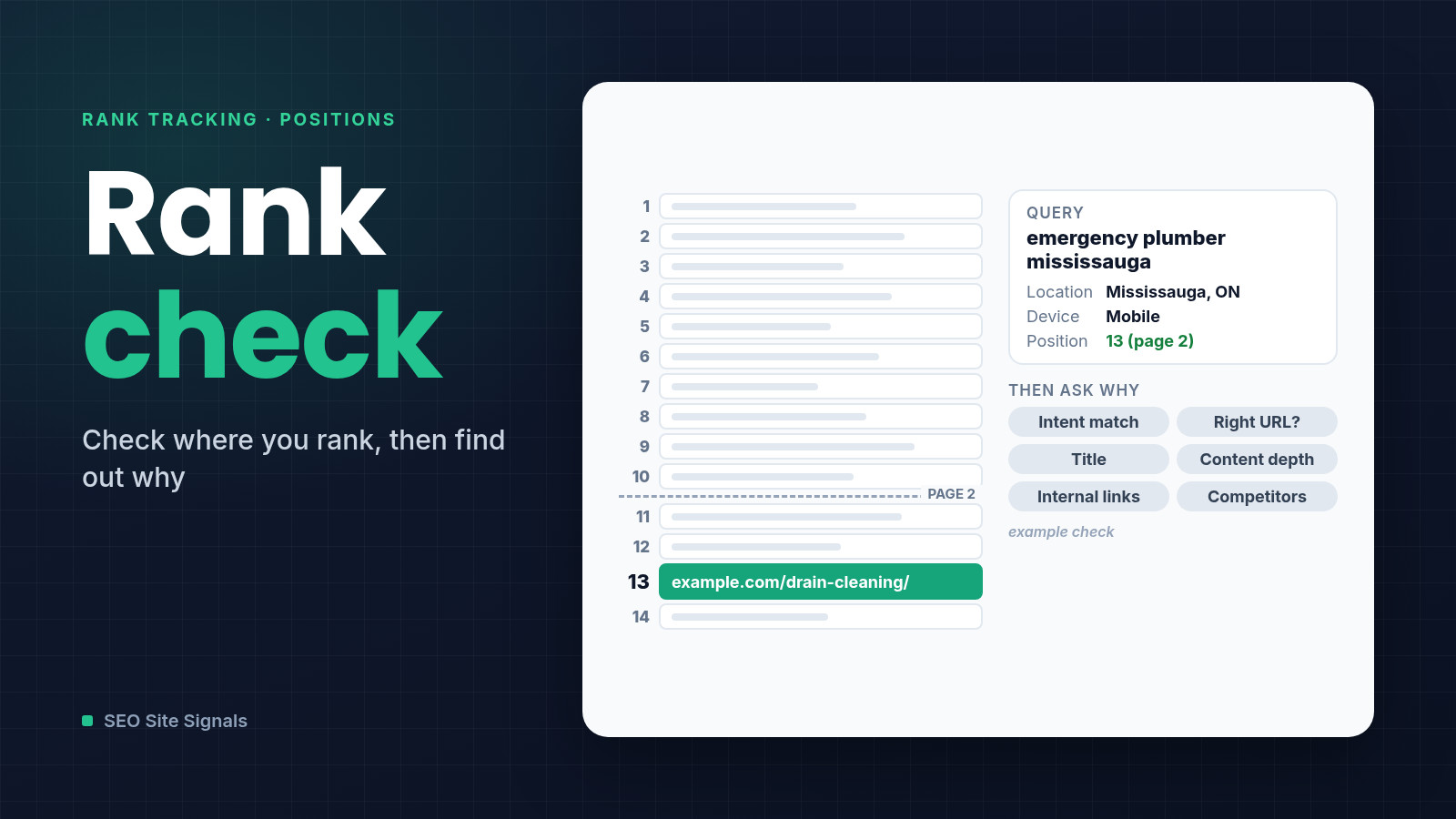
An SEO position tool tells you where a page ranks in Google for a specific search, and which of your URLs is the one ranking. The most reliable free way to check SEO positions is Google Search Console's Performance report: pick the query, read the average position, then split it by page, country, and device. Once you know where you rank, scan the page that should be ranking to find out why it isn't higher.
Whether you typed "seo check position" or "my SEO position," the job is the same: an honest number first, then a reason. Below are the free Search Console method, the private-window spot check and its limits, and how to turn a stuck position into a fix list.
What should an SEO position tool actually tell you?
An SEO position tool should report your rank for one query in one context, plus the URL Google chose. The same page can rank third on desktop in Toronto and be missing on mobile in Tampa. Record five facts:
- The query: the exact words a customer typed, not your brand name.
- The ranking URL: position seven with a blog post is a different problem from position seven with your service page.
- Location: the country or city the search came from.
- Device: desktop or mobile.
- What sits above you: ads, a map pack, or an AI Overview pushing organic links down.
A tool that gives you one site-wide score and no queries is an audit, not a position check.
How do you check SEO positions for free in Search Console?
You check SEO positions for free in Google Search Console's Performance report, which shows clicks, impressions, click-through rate, and average position for every query and page where your site appeared. The data comes straight from Google, so it beats any third-party estimate for your own site.
- Open the report. In Search Console, choose your property and go to Performance > Search results. The default view covers the last three months of web search.
- Turn on Average position. Click the Average position box above the chart.
- Find the query. On the Queries tab, look for the terms a new customer would use, not your brand name.
- See which URL ranks. Click the query row to filter on it, then open the Pages tab. If two or three of your URLs share the impressions, they're competing with each other.
- Split by country and device. Open the Countries and Devices tabs. A healthy desktop average can hide a weak mobile one.
- Compare date ranges. Compare the last 28 days with the previous 28 to see whether the position is moving or just noisy.
Log the query, URL, country, device, and position each time. That log turns a number into a trend.
What does average position in Search Console really mean?
Average position in Search Console is the topmost position your site held for a query, averaged across every impression. Google records a position only when the result gets an impression, so a page-three result nobody reached adds nothing.
- It's an average across contexts. Google notes that results depend on the time, place, device, and recent history of the searcher. An average of 9 can be 4 in one city and 15 in another.
- A position counts elements, not blue links. Google's Search Console Help explains that a carousel, knowledge panel, or AI Overview each occupies a single position. Ads do not occupy a position.
- Data sits on the canonical URL. Metrics are assigned to the URL Google selects as canonical, so after a migration an old URL can keep collecting data for a while.
- Recent days are preliminary. The newest data can still change, so don't judge yesterday's edit by today's chart.
Queries with healthy impressions and an average position between 8 and 20 are your shortlist: Google already sees those pages as relevant, and a moderate improvement can reach page one.
Can a private or incognito search show your real position?
A private or incognito search shows one real result page, not your position. It removes your signed-in search history from that window, but Google still uses your location and device. Use it as a quick SEO check of what the results page looks like, then trust Search Console for the number.
- Open a private window and stay signed out of Google.
- Search the exact query a customer would type.
- Note which of your URLs appears, roughly where, and what sits above it.
- Repeat on your phone, where more features often stack above the organic links.
- If the spot check and Search Console disagree, Search Console wins for your own site.
The spot check shows one thing Search Console can't: the layout. Position three under a map pack may sit below the fold on a phone.
Why is a page stuck on page two?
A page stuck on page two usually has a specific, fixable problem: the wrong URL is ranking, Google can't fully index the right one, the title and content don't match the query, or the page loads badly on mobile. A real SEO position analysis connects the number to one of these causes before you write anything new.
A blog post ranks instead of the service page
Likely cause: The service page doesn't answer the query clearly.
Check: Compare both pages' titles and headings against the query.
Position bounces between two of your URLs
Likely cause: The pages compete with each other, or canonicals disagree.
Check: Merge or differentiate the pages, and confirm each canonical.
Good position, few clicks
Likely cause: A weak or truncated title, or features stacked above the result.
Check: Test the title with the Meta Title Checker.
Page missing entirely
Likely cause: A noindex tag, a robots.txt block, or a canonical pointing elsewhere.
Check: Run URL Inspection in Search Console and the No-Index Checker.
Mobile position far below desktop
Likely cause: A slow or awkward mobile page.
Check: Look at the Core Web Vitals report and the mobile results of a full scan.
To find which of these applies, run the page that should rank through the free All-in-One SEO Test. It runs 80-plus checks on one URL (titles, headings, indexability, Core Web Vitals, security, and AI crawler access) and sorts findings by severity. It doesn't check rankings; it shows what's holding the page back. Fix the top two items, then recheck the position in a week or two. This guide to the report explains the order to fix things in.
When does a manual SEO position check stop being enough?
A manual SEO position check stops being enough when you repeat the same lookups every week, for more than a handful of queries, in more than one city. That's when rank tracking earns its place.
SEO Site Signals doesn't offer a free rank checker. Keyword position tracking is part of the paid monitoring: positions refresh nightly for the regions you monitor, alongside the same 80-plus checks, and every plan starts with a 3-day full-feature free trial. Until then, Search Console plus the free scan covers most small sites.
What does a 20-minute weekly position routine look like?
A weekly position routine takes about twenty minutes. The goal is to link each ranking change to a cause instead of reacting to every wobble.
- Open Search Console and check average position for your five to ten core queries, by country and device.
- Flag anything that moved more than a few places, and note the ranking URL.
- Scan the flagged URLs and fix the top one or two issues.
- Record what you changed and when.
- If a drop lines up with a Google update, check dates first. The August 2026 spam update guide shows how.
SEO position FAQ
Is there a free SEO position tool?
Yes. Google Search Console is the most reliable free SEO position tool for your own site. Its Performance report shows average position, impressions, and clicks for each query and page. It can't show competitors' positions.
Why is my Search Console position different from what I see in Google?
Search Console averages your topmost position across every impression, in every location and on every device. Your own search is one result page shaped by your location, device, and history. Google's own help page says a position of 5 in the report and 8 in your browser can both be correct.
Is a website positioning tool the same as an SEO audit?
No. A website positioning tool reports where you rank for specific searches. An SEO audit checks a page for technical and content problems that affect ranking. Position tells you which page to look at. The audit tells you what to fix on it.
Why does Search Console still show an old URL for my page?
Search Console assigns clicks, impressions, and position to the canonical URL Google has selected. After a redirect or migration, data can stay on the old URL until Google picks the new one as canonical. Use URL Inspection on both URLs to see which one Google currently treats as canonical.
How often should I check SEO positions?
Weekly is enough for most small businesses. Day-to-day movement is often noise from location, device, and result-page changes. Weekly readings show real trends and leave time to see a change take effect.
Know where you rank? Find out why: paste the page that should be ranking into the free Instant Analysis, no signup needed, and fix the first two items before you check your position again.
SEO Site Signals is built by PositionMySite, a North American software company with offices in Toronto and Tampa, building for the web since 2009. Our in-house team builds the 80-plus checks behind the free analysis and the monitoring dashboard that tracks rankings over time. The one-off scan stays free so a small business can see what's holding a page back before paying for another SEO platform.
Last updated: October 8, 2026 | Author: David Dayan | Sources: Search Console Help, "Performance report (Search results): Overview and basic setup"; Search Console Help, "What are impressions, position, and clicks?"; Search Console Help, "URL Inspection tool"; Google Search Central, "Influencing your title links in search results".