
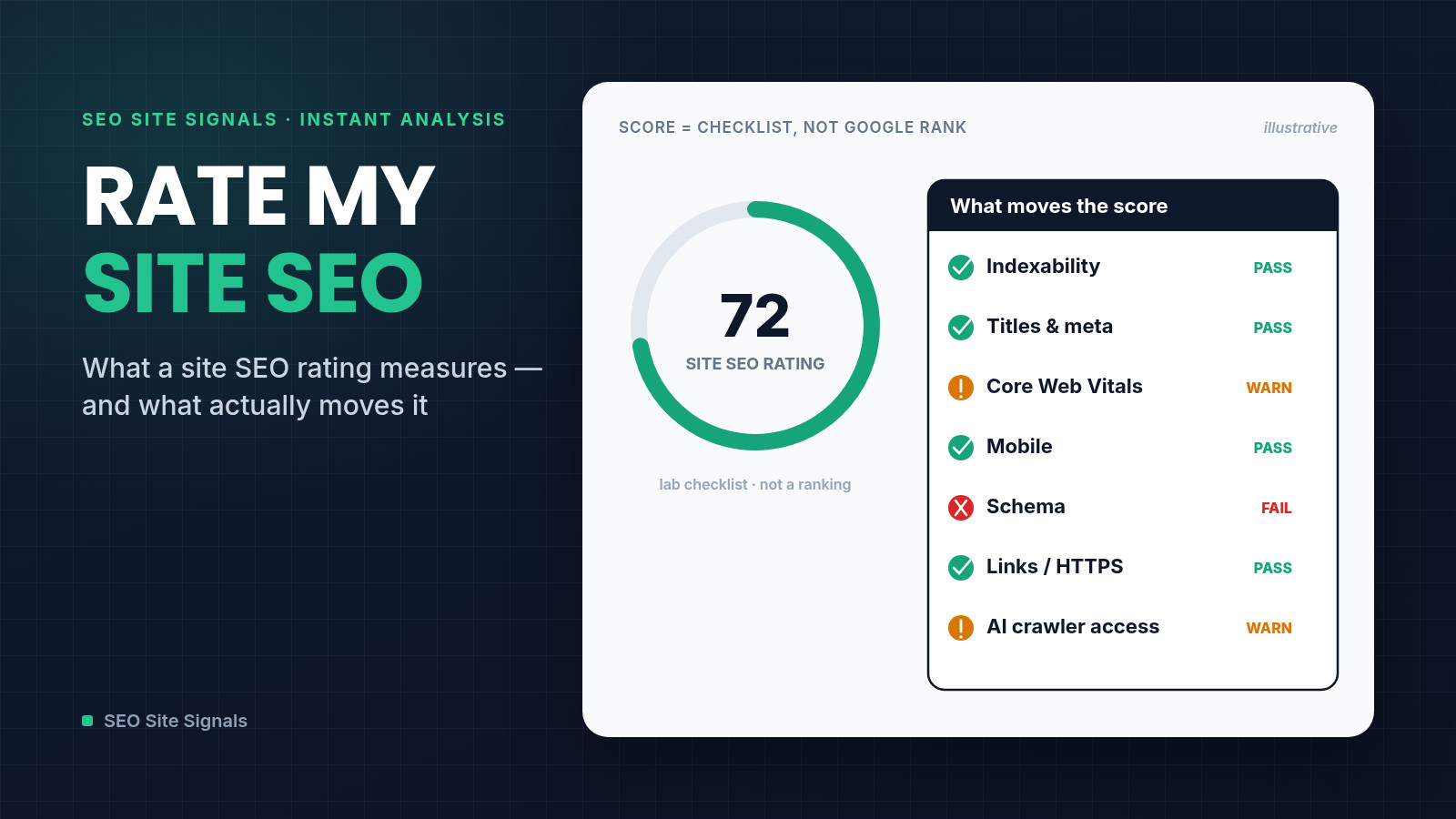
Your website score is a checklist grade for one URL, not your Google ranking. When you ask "what does my SEO score mean?", the honest answer is this: the number rolls dozens of on-page, technical, speed and AI-readiness checks into one summary so you can spot what is blocking the page. A 72 tells you how many checks passed. It does not tell you where you rank. Use the score as a fix list, not as a goal.
If you only want your number, run your URL through the free SEO check on our homepage. Below we explain what goes into a website score, why two tools give the same site different grades, which fixes actually move your SEO score, and when a low number does not matter. For a step-by-step routine using Search Console and free Google tools, see our guide on how to analyze your own website for SEO.
What does it mean when you rate my website SEO?
A site SEO rating is a weighted summary of automated checks against one page (sometimes a small crawl). Typical buckets include crawl and indexability signals, title and meta quality, mobile usability, Core Web Vitals lab metrics, HTTPS and security headers, structured data validity, internal link hygiene and whether AI crawlers can reach the page. The product that powers Instant Analysis on SEO Site Signals runs 80+ of those checks on a single URL with no signup.
What the grade is not: it is not Google's ranking algorithm, it is not Search Console field data, and it is not a promise that fixing every warning will move you to position one. Google's own page experience guidance is clear that strong Core Web Vitals will not beat a more relevant page. A 92 that still fails on a noindex money page is worse than a 71 that only has lab noise on a low-traffic template.
Think of the number as a health badge for the URL you pasted. It answers: "Did this page pass the checks this tool cares about today?" It does not answer: "Will I outrank the market leader next month?" Keep those questions separate and the grade stays useful.
What the score is
A checklist of technical and on-page signals for the URL you pasted
Useful for: finding blockers before a redesign, migration or content push
What the score is not
Your average position, click-through rate or share of search demand
Misses: relevance, backlinks, brand demand and competitor content quality
Best use
Sort failed checks by impact, fix templates, re-run the same URL
Skip: polishing the number while an important page stays unindexed
Why does every SEO grading tool give a different number?
Two honest SEO grading tools can return different grades on the same URL because they are not measuring the same thing. Weights differ: one product may punish a missing H1 harder than a slow Largest Contentful Paint; another may reverse that. Crawl depth differs: a one-URL audit never sees orphan pages a 500-URL crawl finds. Timing differs: lab Lighthouse scores swing between runs, while field CrUX data (when available) reflects real Chrome users over weeks.
Scope differs too. Some checkers only look at HTML tags. Others render JavaScript, follow redirects, probe robots.txt and test whether known AI user-agents are allowed. Instant Analysis on tools.positionmysite.com is a per-URL report across technical SEO, Core Web Vitals, indexability and AI readiness — not a full-site crawler and not a free rank checker. When scores diverge, read the failed checks side by side instead of arguing about the headline percentage.
Also compare apples to apples: same URL, same device profile (mobile first), same moment in time. Running desktop on one tool and mobile on another guarantees a gap that has nothing to do with your site quality.
Weights
Each vendor decides how much a missing canonical costs versus a weak title
Crawl depth
One URL versus a site-wide crawl changes which broken templates appear
Lab vs field
Synthetic Lighthouse runs vary; CrUX field data lags and needs traffic
Rendered HTML
Tools that execute JavaScript can see content a static fetch misses
What actually moves a rate my website SEO score?
The checks that move a rate my website SEO grade are the ones that block discovery, confuse crawlers or break the page Google indexes. Below are the levers Instant Analysis and similar all-in-one audits actually run — not a free keyword-position tool, and not a scan walkthrough of every report screen.
1. Indexability
Remove accidental noindex, robots.txt blocks and wrong canonicals on money pages
Why it moves the score: crawlers must be allowed to fetch and keep the URL
2. Titles and descriptions
Unique, specific title links; avoid boilerplate "Home | Brand" on every template
Why it moves the score: on-page SEO checks flag empty, duplicated or truncated tags
3. Core Web Vitals (lab)
Fix the LCP element, reduce layout shift, cut long tasks that hurt INP
Why it moves the score: LCP, INP and CLS thresholds map cleanly to pass/warn/fail
4. Mobile usability
Viewport meta, readable font sizes, tappable targets, content present in mobile HTML
Why it moves the score: Google indexes the mobile version first
5. Structured data
Valid Product, LocalBusiness, Article or Breadcrumb markup where it applies
Why it moves the score: schema errors are deterministic and easy for audits to count
6. Links and HTTPS
Crawlable <a href> links, working HTTPS, HSTS where appropriate
Why it moves the score: security and link checks fail loudly when broken
7. AI crawler access
Do not block agents you want citing you; keep llms.txt and robots rules intentional
Why it moves the score: AI-readiness checks look for blocked bots and missing signals
For depth on speed thresholds, see the Core Web Vitals guide. For crawl blockers, use the crawling and indexing checklist. After you change a template, re-test that URL — do not assume the homepage grade applies to every product or article layout.
How to use a site SEO grade without chasing vanity
Use a site SEO grade as a triage queue, not a trophy. Capture the failed checks, map each one to a template and an owner, and ignore warnings that do not touch indexed money pages. A practical order:
Fix today
noindex or robots.txt on revenue URLs, HTTPS errors, wrong canonicals, security flags
Fix this sprint
duplicate titles on high-impression pages, Poor lab Core Web Vitals on key templates, schema errors you rely on
Backlog
optional schema fields, lab-only noise on low-traffic URLs, cosmetic HTML warnings
Pair the per-URL score with Search Console: indexing status and query performance tell you whether Google already found the page and whether anyone searches for it. The score tells you what is broken in the HTML and headers. Neither replaces the other. When you need help reading the Instant Analysis screens themselves, use the report reading guide — this article stays on what the grade means, not how every panel is laid out.
Re-test after every deploy that touches shared layouts. One broken header template can drop grades across hundreds of URLs at once; one fixed template can raise them the same way. Track the failed-check list, not the percentage, so you know whether progress is real.
Paste your homepage and one URL from each template into Instant Analysis on tools.positionmysite.com (or the All-in-One SEO Test). Both run 80+ checks on one URL with no signup. Keyword tracking and continuous monitoring sit in the paid product with a 3-day free trial; there is no free position checker on this site.
FAQ: rate my website SEO scores
Is a high site SEO score the same as ranking well?
No. A high grade means the audited URL passed most of that tool's technical and on-page checks. Rankings still depend on relevance, competition, links and demand. Fix failed checks so nothing blocks Google, then improve the content and internal links that earn the click.
Why did my rate my website SEO score drop after a redesign?
Redesigns often change templates: a new theme can drop the viewport tag, inject render-blocking scripts, break canonicals or add a temporary noindex. Re-run the same URLs you tested before launch and compare failed checks category by category. Most drops come from one shared template, not from every page individually.
Can I rate my site SEO without creating an account?
Yes for a per-URL audit. Instant Analysis on the SEO Site Signals homepage and the All-in-One SEO Test both run without signup. Search Console still needs a free Google account and site verification if you want Google's own indexing and query data alongside the checklist score.
Does Instant Analysis show my Google rankings?
No. Instant Analysis reports technical SEO, Core Web Vitals, indexability and AI readiness for the URL you paste. Average position by query lives in Search Console's Performance report. SEO Site Signals does not offer a free rank checker; keyword tracking is part of paid monitoring.
Get your site SEO rating on one URL: open Instant Analysis, paste the homepage and a URL from each template, and work the failed checks in the order above — indexing first, vanity points last.
SEO Site Signals is built by PositionMySite, a North American software company in Toronto and Tampa. Since 2009 our in-house team has engineered the checkers and the monitoring dashboard mentioned here, and we keep the per-URL checks free so a small business can see what is failing before it pays for any SEO platform.
Last updated: October 13, 2026 | Author: Paul Patrick | Sources: Google Search Central, SEO Starter Guide; Google Search Central, Page experience; Google Search Central, Understanding Core Web Vitals; Google Search Central, Mobile-first indexing; Google Search Central, Title links; Google Search Central, Crawlable links; Chrome for Developers, Lighthouse; About PageSpeed Insights; Search Console Help, Core Web Vitals report; Search Console Help, Page indexing report.